
For venues and event planners
Every wedding you host or plan, in one place
Every booked date on one calendar, an email to each couple from your own templates, and a planner for each wedding, with their invitation and guest list beside it.
We show it to you on your own weddings, talk pricing, and set you up with a trial.
Your bookings, brought in from Excel
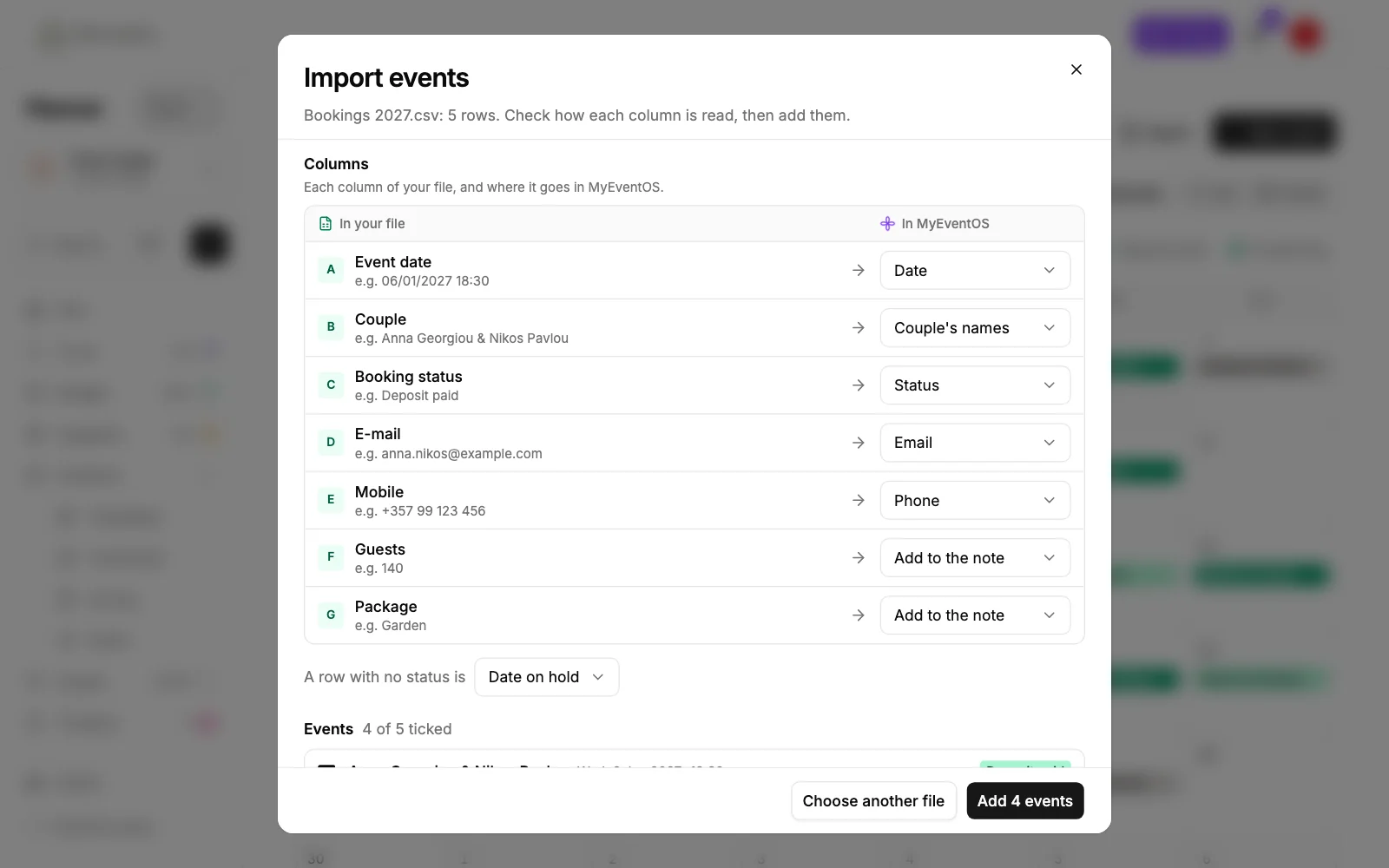
Already keep your bookings in a spreadsheet? Bring them onto the calendar in one go. Each column is read for what it holds, and you see every row before anything is added.
- An Excel file or a CSV, its headings in English, Greek, Hebrew, Russian or German
- Dates, names, statuses, emails and phones read for you
- Guests, packages and the rest kept in each wedding's note
- Weddings already on the calendar, or cancelled, left out
The couple's email, ready in one tap
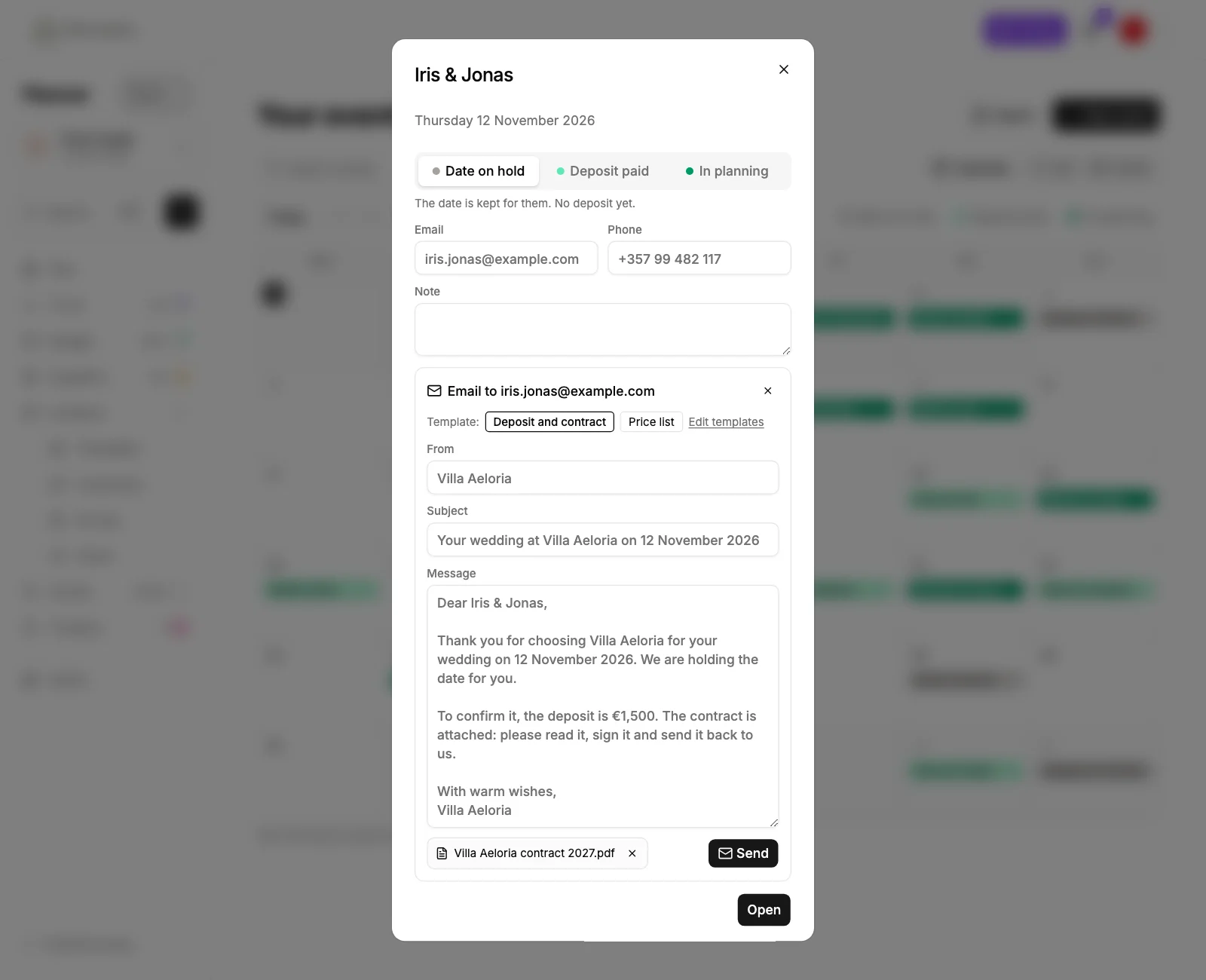
Open a date on the calendar and email the couple from one of your templates. Their names, their date and your deposit are filled in, and your contract goes with it.
- Your own templates, written once
- Your contract or price list attached as a PDF
- Sent in your business's name, the replies straight to your inbox
- Every email kept on the wedding it was sent from
Your business, your name on it
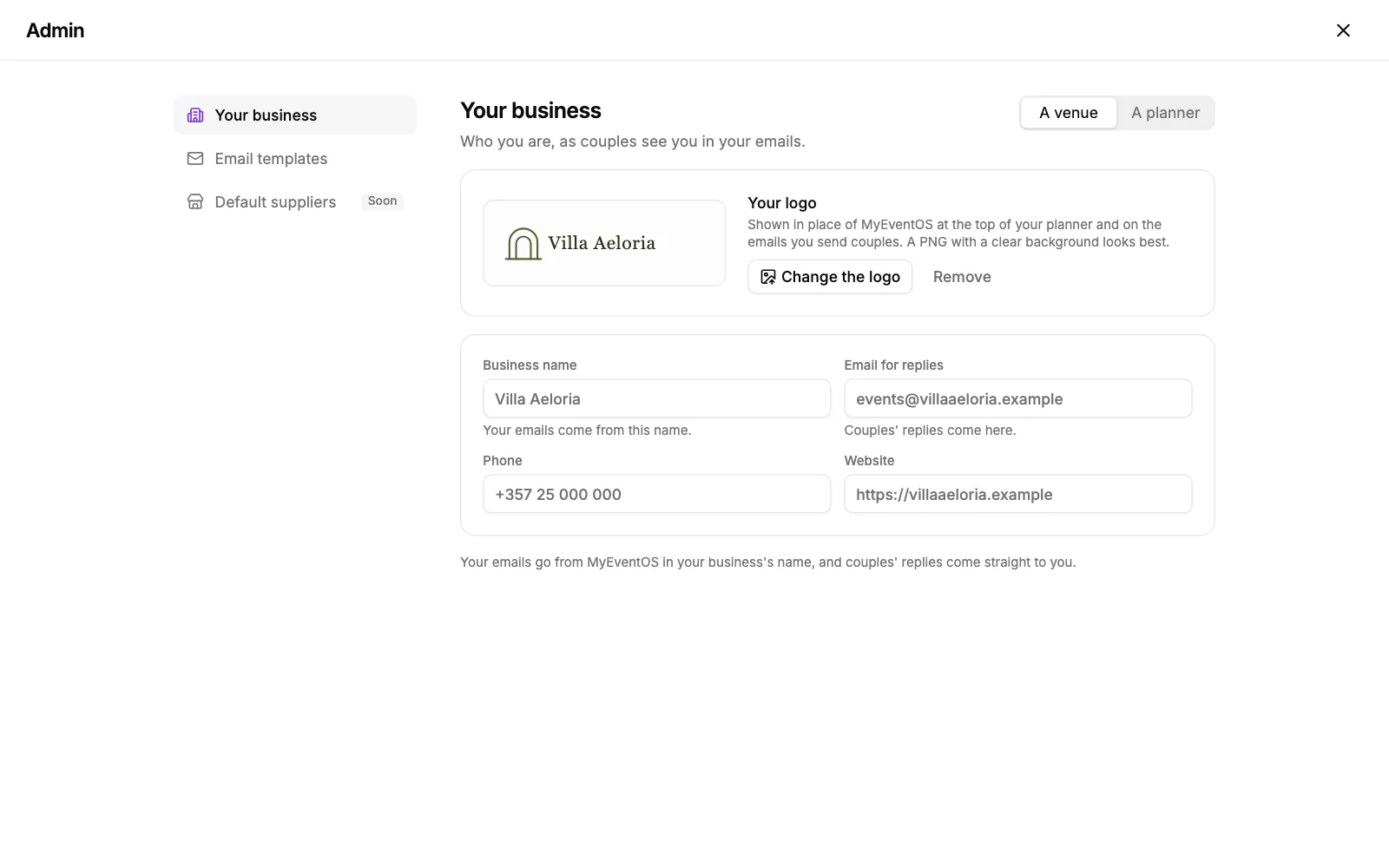
Admin is your own page: who you are, the email couples reply to, and your email templates with your deposit and your contract.
- Your logo in place of ours, on your planner and on your emails
- A venue or a planner, your emails sent in your name
- Templates with your deposit, in your currency
Built for the people who host and plan weddings for a living
Every date on one calendar
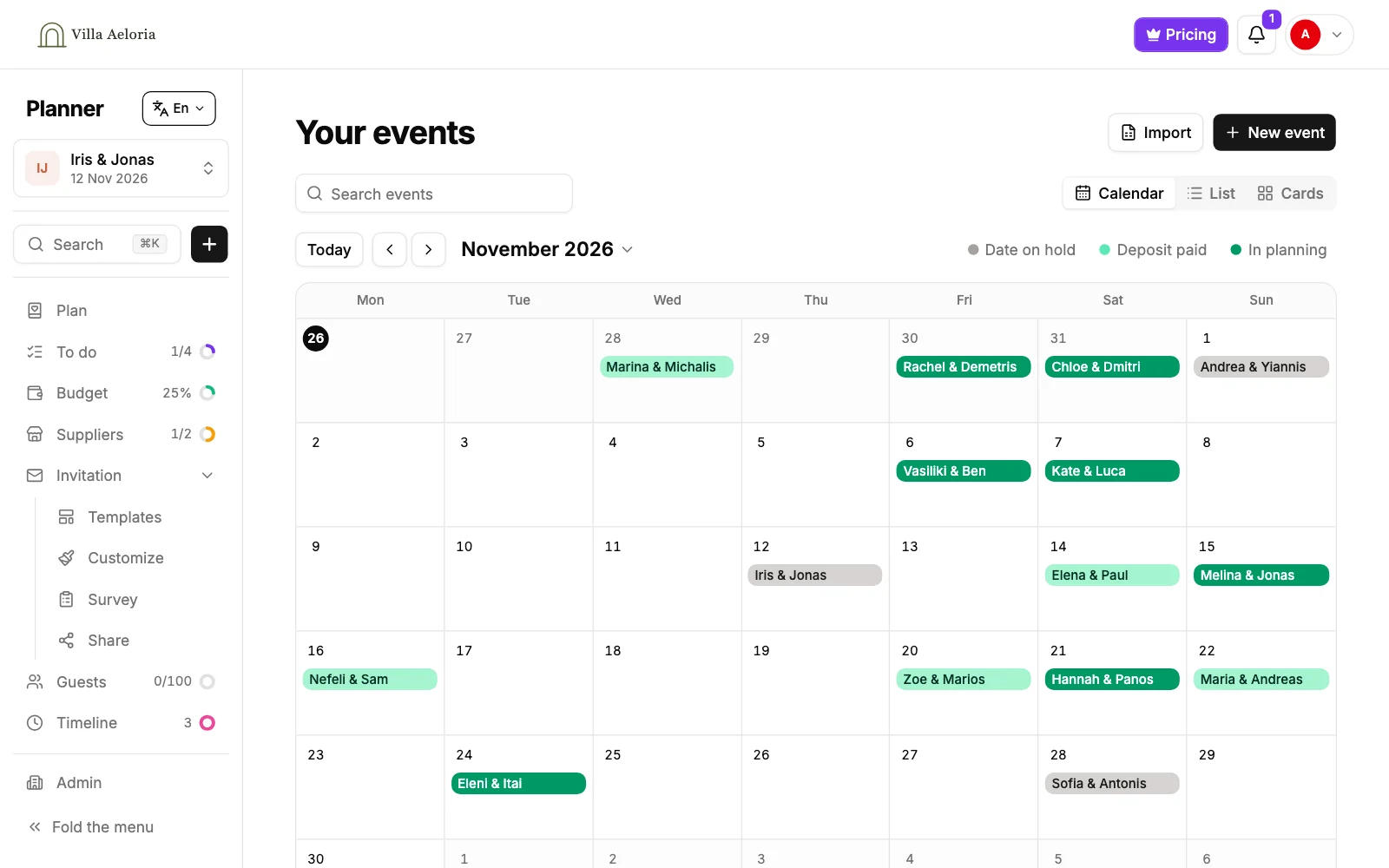
Each booking on its day in its colour: the date on hold, the deposit paid, in planning. Find a couple by their names, their phone or the month.
A full planner for each wedding
Each couple gets their own to do list dated from their day, their budget, their suppliers and the timeline of their day.
The couple and your team, invited in
Invite the couple or a colleague to a wedding, to look or to change it. When they ask for more, you decide.
The invitation and the replies too
Design each couple's invitation, send it as one link, and every guest's answer lands in that wedding's own table.
Numbers your team can use
Meals, allergies, children and seating counted as the replies arrive, ready for the kitchen, the suppliers and the driver.
Previews for the couple's sign-off
Share a private preview of the invitation before anything goes out. The couple approves from their phone.
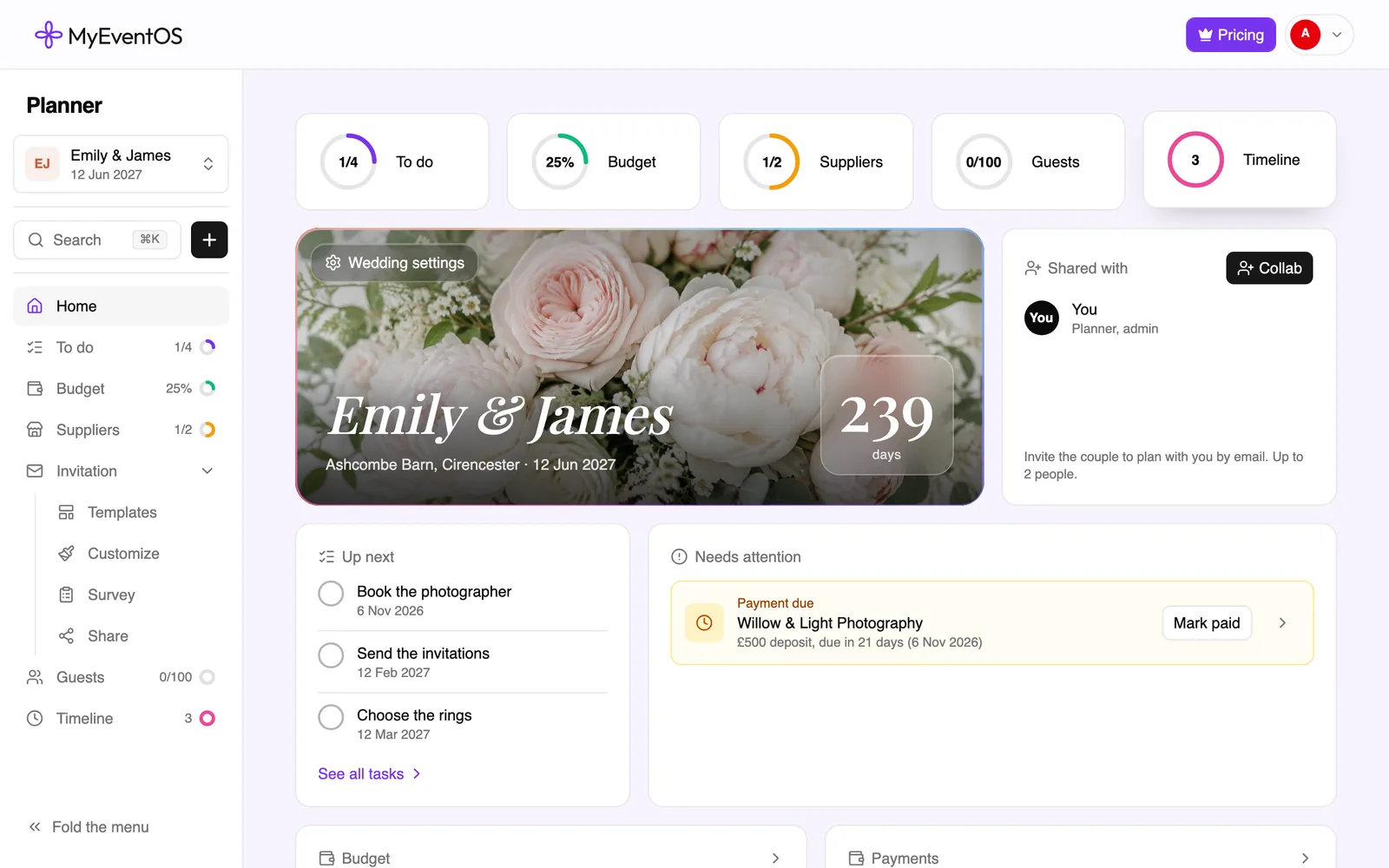
Each wedding, its own planner
Open a wedding and everything about it is there: what is due next, what is paid and still due, which suppliers are booked, how many guests have replied, and the days left.
- To do, dated back from their day
- Budget and payments due
- Suppliers and their offers
- The timeline of the day
Every answer, counted for every couple
The guest management behind each wedding you host or plan. Pick any of them to see the screen you work in.
| Name | Status | Total | Main course | Anything we should know? | ||||||||||||||||||||
|---|---|---|---|---|---|---|---|---|---|---|---|---|---|---|---|---|---|---|---|---|---|---|---|---|
| EGElena Georgiou | Arriving | 2 | Fish | · | ||||||||||||||||||||
| MSMarta Silva | Arriving | 4 | Vegetarian | Arriving a day early | ||||||||||||||||||||
| ||||||||||||||||||||||||
| HLHenrik Larsen | Maybe | 1 | · | Will confirm by 12 Oct | ||||||||||||||||||||
| PRPriya Raman | Arriving | 2 | Fish | Gluten free, please | ||||||||||||||||||||
| NHNadia Haddad | Not coming | 0 | · | Away that week | ||||||||||||||||||||
| Guest | Age | Meal | Allergies |
|---|---|---|---|
| Marta Silva | 18+ | Vegetarian | — |
| Rui Silva | 18+ | Everything | Shellfish |
| Ines Silva | 9 | Everything | — |
| Pedro Silva | 6 | Everything | Peanuts |
- Everything24
- Vegetarian5
- Pescatarian2
- Gluten free1
From the first call to the day itself
- 1
Hold the date
Put the couple on the calendar, send your deposit and contract in one email, and mark the deposit paid when it arrives.
- 2
Plan it with the couple
Open their wedding, invite the couple in, and the to do list, the budget and the suppliers are there for both of you.
- 3
Invite and gather the replies
The invitation goes out as one link, reminders chase the quiet guests, and the numbers count themselves.
- 4
Run the day
The timeline of the day, with who runs each part, printed for your team and everyone helping.
For your venue or studio
Tell us about your venue or the weddings you plan
We will show it to you on weddings like yours, talk through pricing for your business, and set you up with a trial.