
How to find wedding suppliers and get the best offers
7 min read
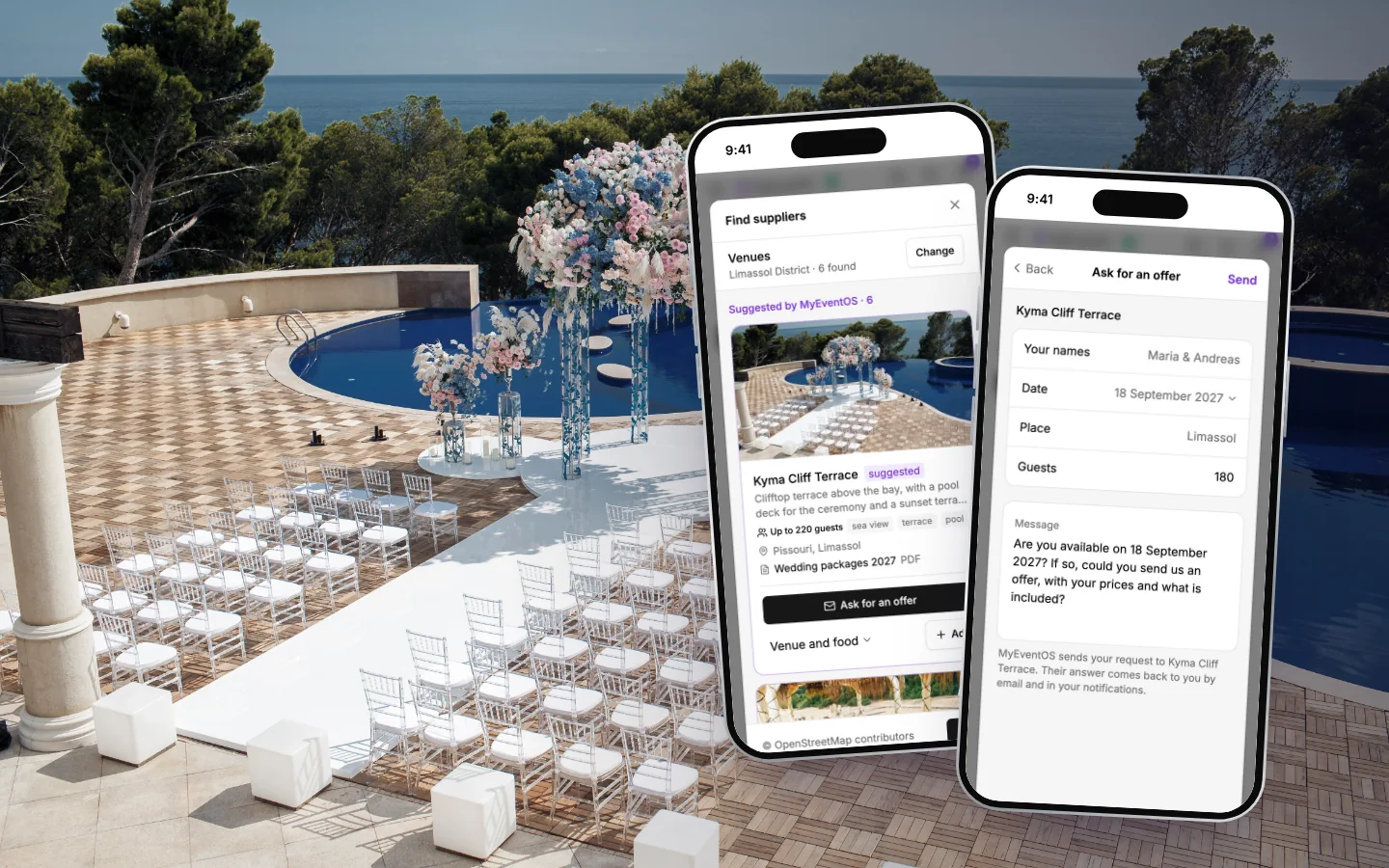
The venue, the photographer, the flowers, the cake, the music: a wedding is a dozen suppliers, and each of them needs the same few facts from you before they can quote. This is how to find the right ones, ask them all well, and end up with offers you can actually compare, step by step in the MyEventOS planner, with what works wherever you are marrying.
Start with the venue
Your venue decides your date, how many guests you can have and the feel of the whole day, and every other supplier prices around it: the photographer's travel, the florist's setup, the caterer's kitchen. Find and book it first, and the rest of your wedding suppliers quote for a real place on a real day.
Book it early if your heart is set on a summer Saturday. The most wanted dates at the most wanted venues go first, and a venue you love on a Friday in June can be easier to get, and kinder on the budget, than a Saturday in August.
Search by the kind of supplier and the place
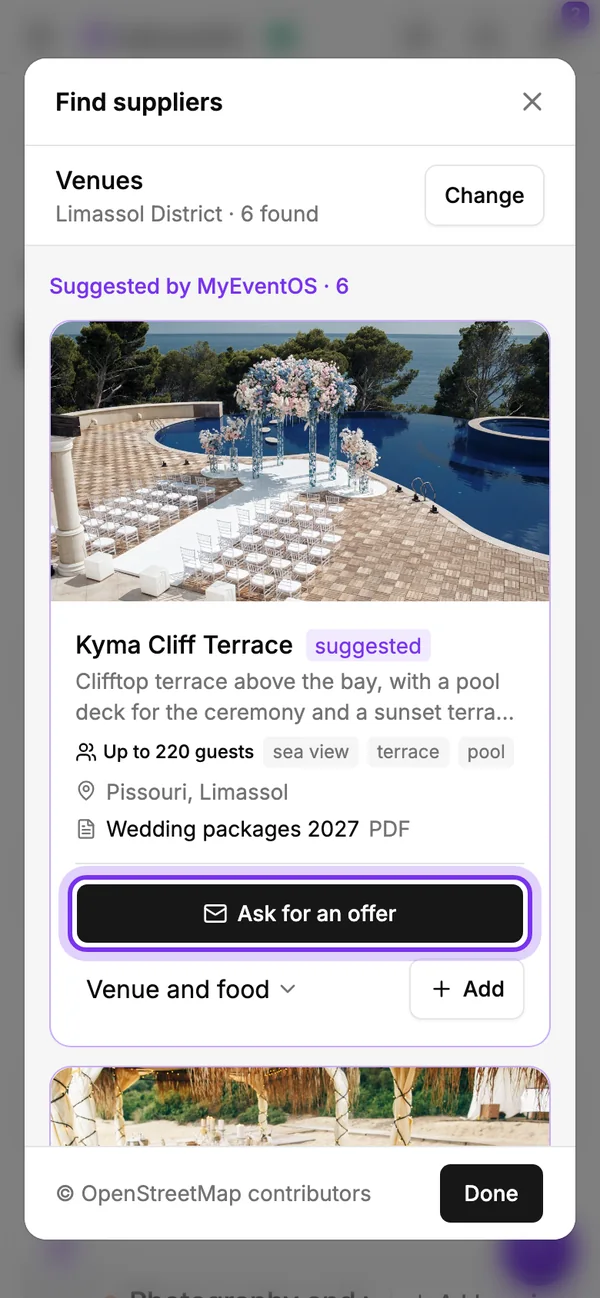
In the planner, open Suppliers and tap Find suppliers. Choose what you are looking for, from venues and photographers to florists, caterers, cakes, music, hair and make-up, wedding dresses and suits, planners and car hire, and type your town or region. Places come up as you type.
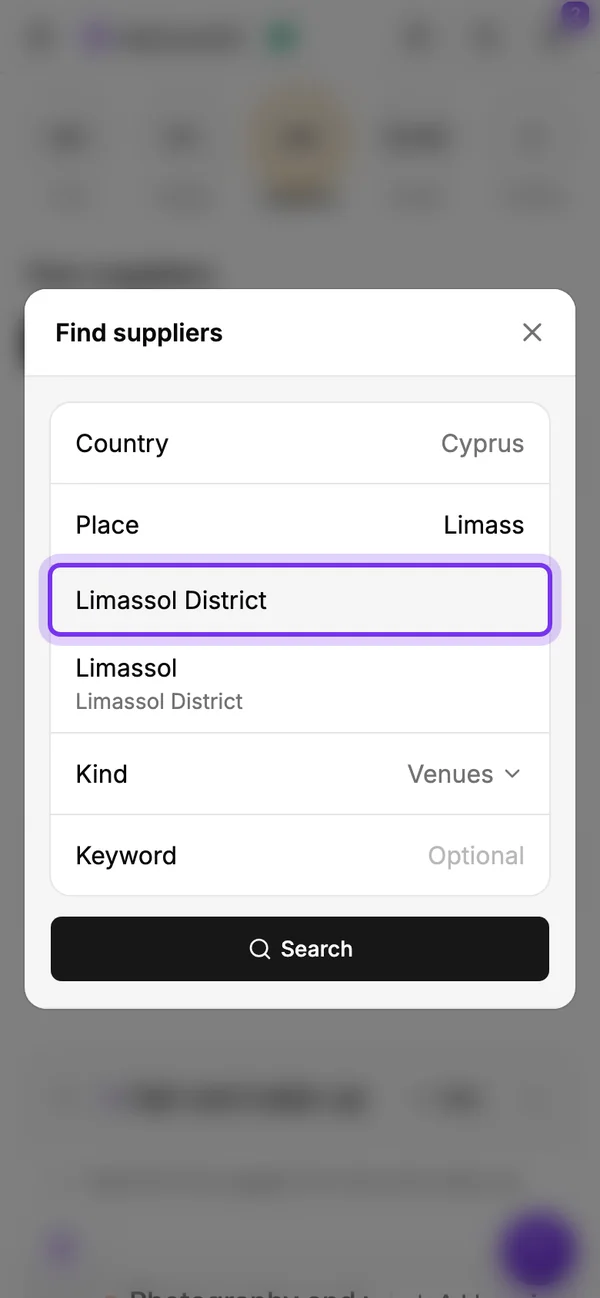
- Open the planner, then Suppliers, then Find suppliers.
- Choose the kind of supplier, say Venues.
- Type your town or region, and tap it as it comes up.
- Add a keyword if something matters to you: chapel, beach, garden, winery.
- Tap Search.
In Cyprus, close to 200 suppliers chosen and described by us come first, from Limassol and Paphos to Larnaca, Nicosia and the hill villages, and you can search the whole island at once. Anywhere else, the search finds the wedding businesses near your place on the map, with a smaller set of our own suggestions in the UK, Greece, Germany and Dubai.
Shortlist with your eyes first
Before you write to anyone, look. Each venue shows its own photo from its own website, credited to it, how many guests it takes and what kind of place it is: a winery, a beach, a hotel with a chapel, a garden with a sea view. A venue that seats 120 is not the one for 180 guests, however lovely the photo.
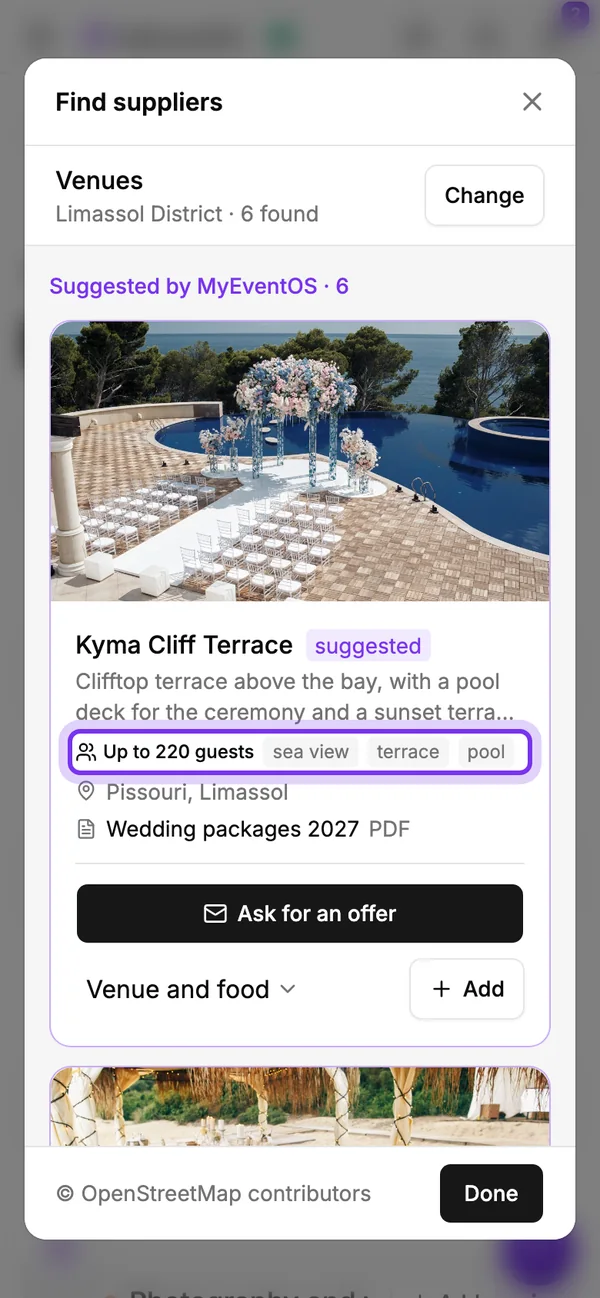
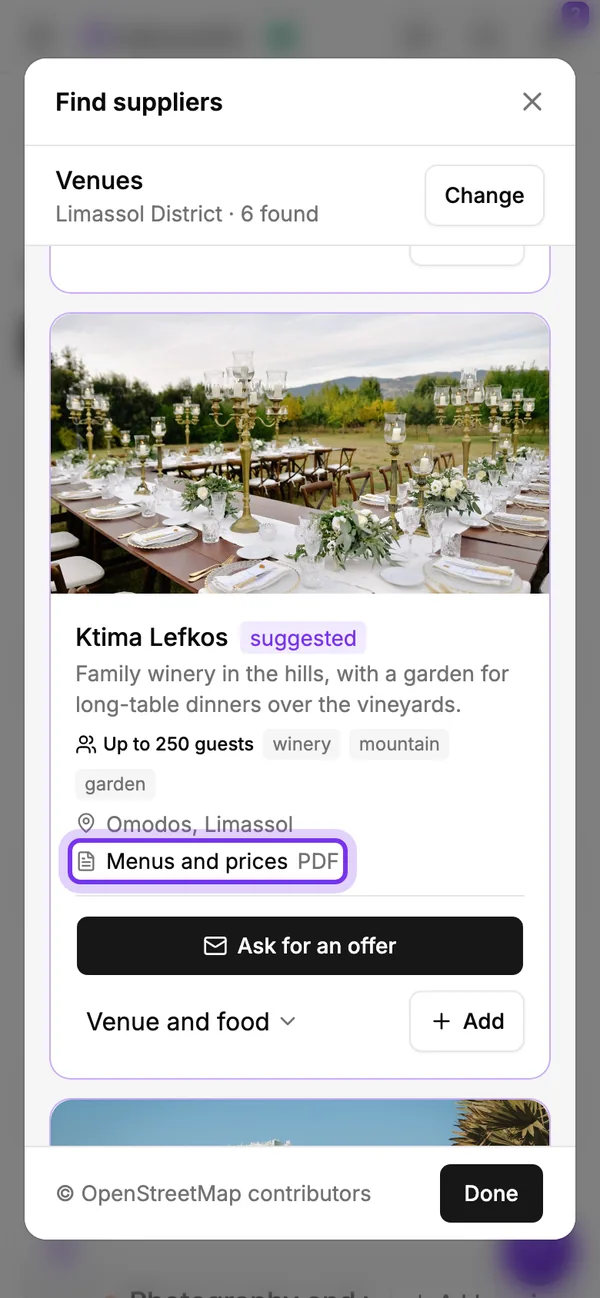
Where a supplier publishes a brochure, its wedding packages or its menus, the card links to it. Read it before you ask: half your questions are answered there, and your request can ask about the rest.
Shortlist three or four of each kind. Fewer and you have nothing to compare; many more and the answers pile up faster than you can read them.
Ask for an offer, the same way to each
On a supplier you like, tap Ask for an offer. Your names, your date, the place and your number of guests are already in the request, from your wedding, and the message is written for you: are you free on our date, and could you send an offer with your prices and what is included. Change any word you like.
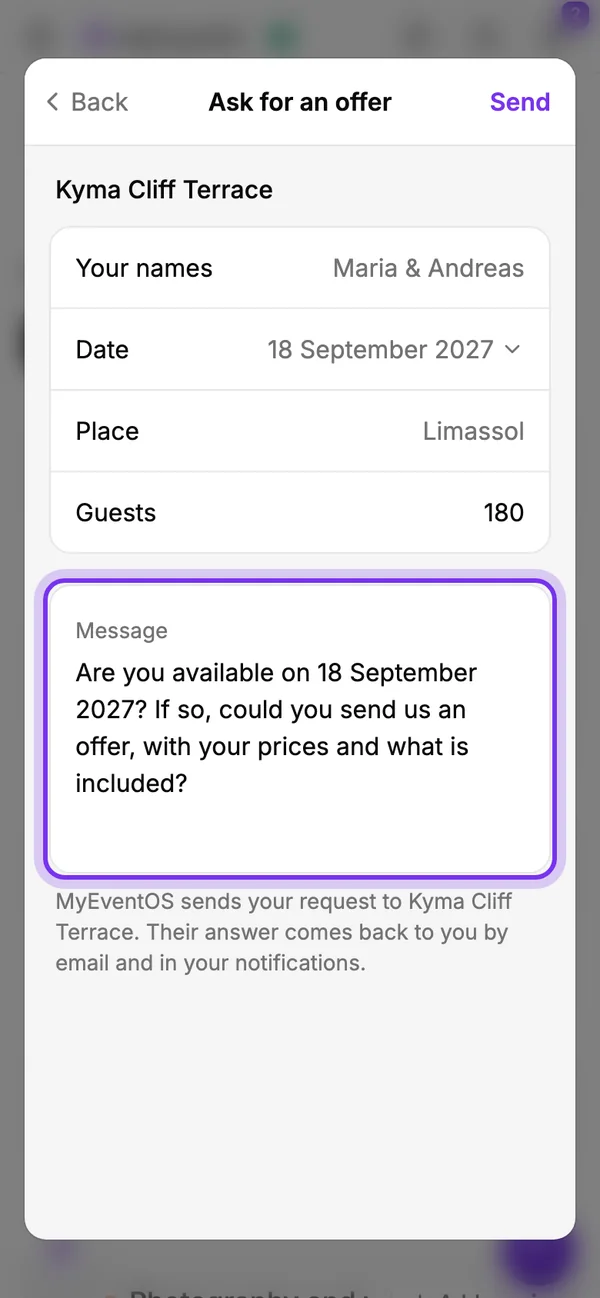
Send each supplier on your shortlist the same details, and their offers compare like for like. Once your venue is booked, the planner names it in every request you send, so a photographer or a florist quotes for your place and not a guess.
MyEventOS sends the request for you. Your email address is not in it: the supplier answers MyEventOS, and the answer comes straight on to you.
No date yet? Ask about a season
Many couples choose the venue before the day. Under Date, choose a season instead of a day, and the message asks which days they have open, so the venue's answer helps you choose the date.
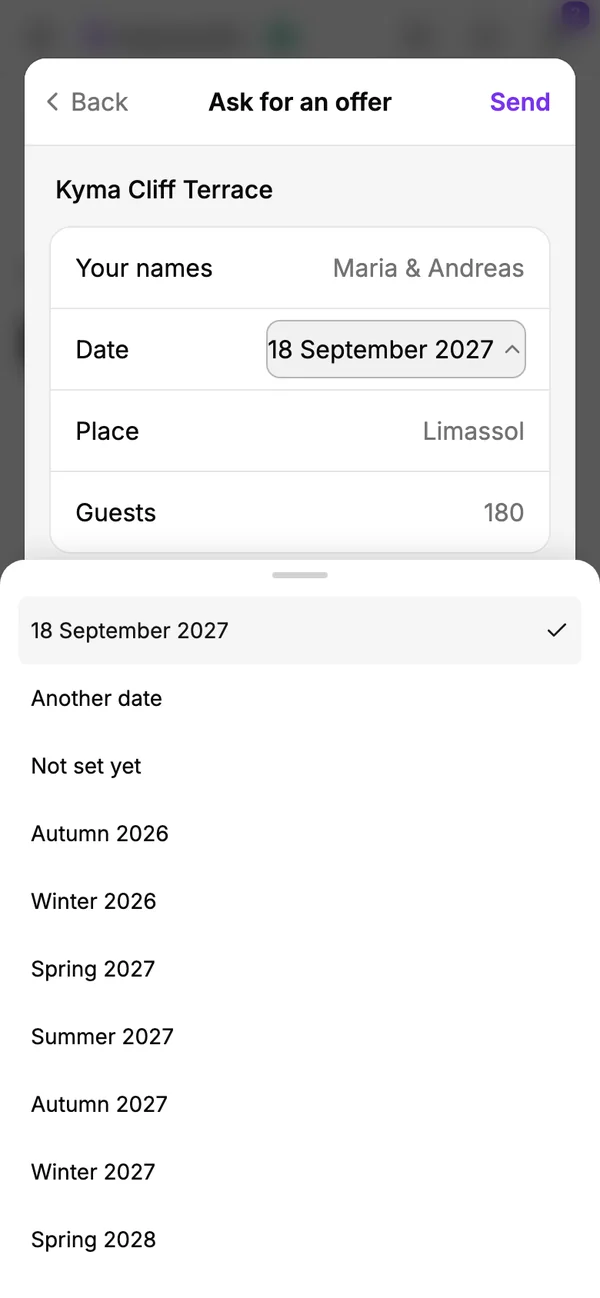
A little room on the date is the simplest way to a better price. A Friday or a Sunday, or a date in spring or autumn, often costs less than a Saturday at the height of summer, and the same venue on a quieter day can leave room in the budget for something else.
Their answers come back to you
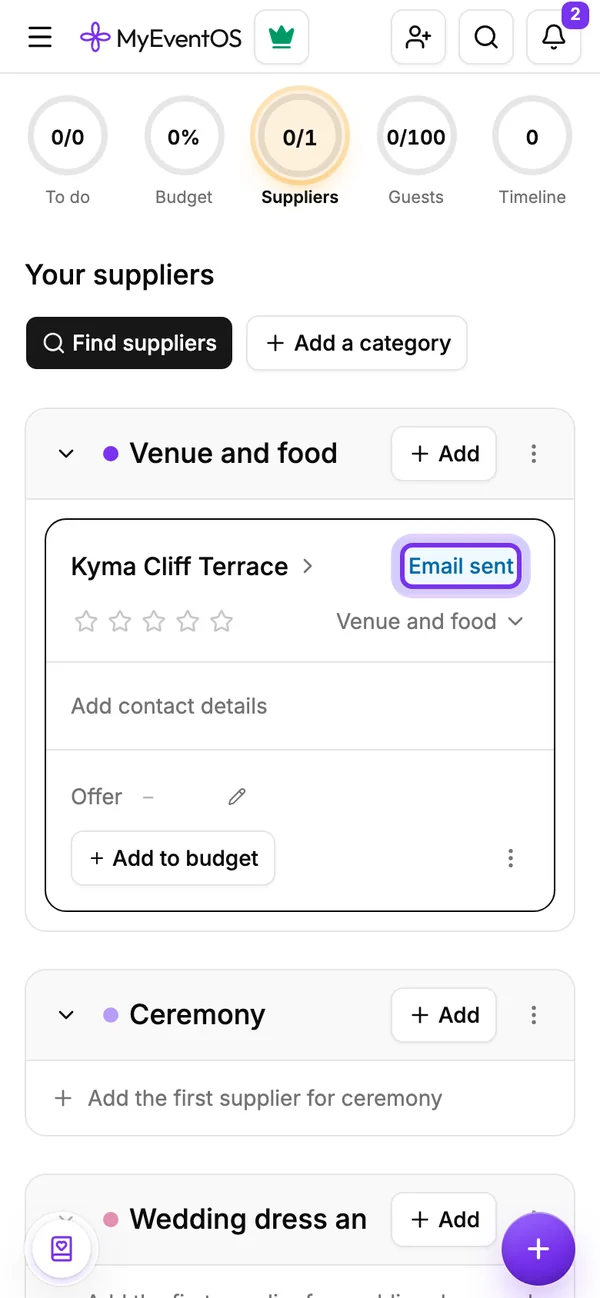
Once a request is sent, the card says Offer asked, and the supplier is on your list in the planner, under its category.
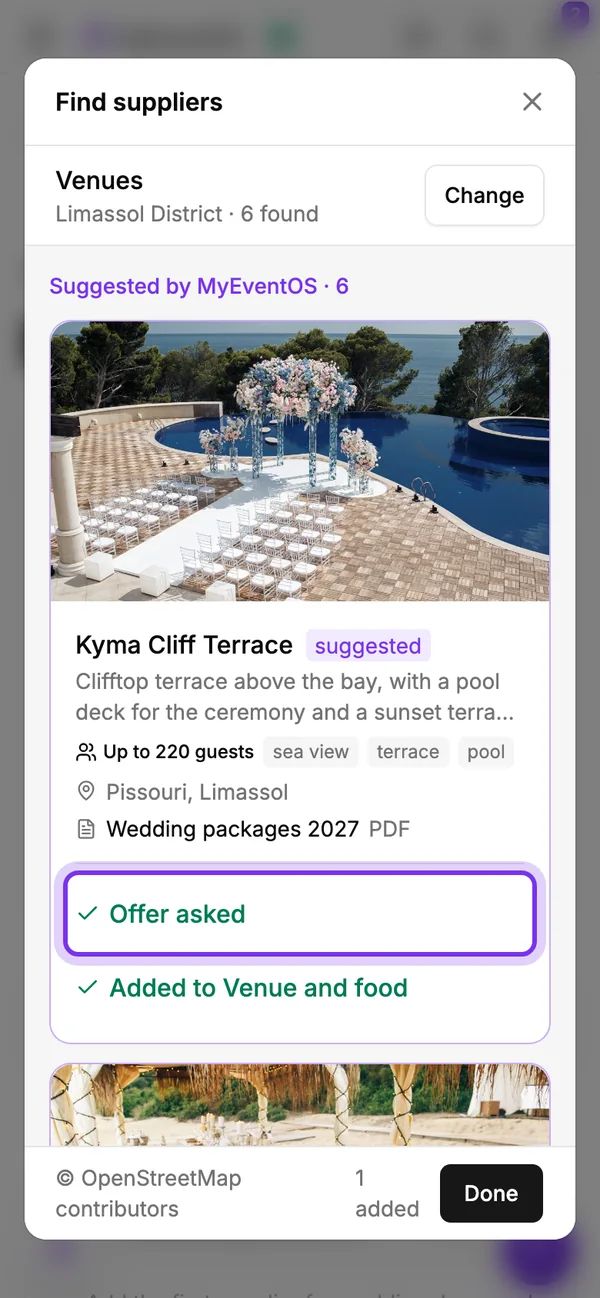
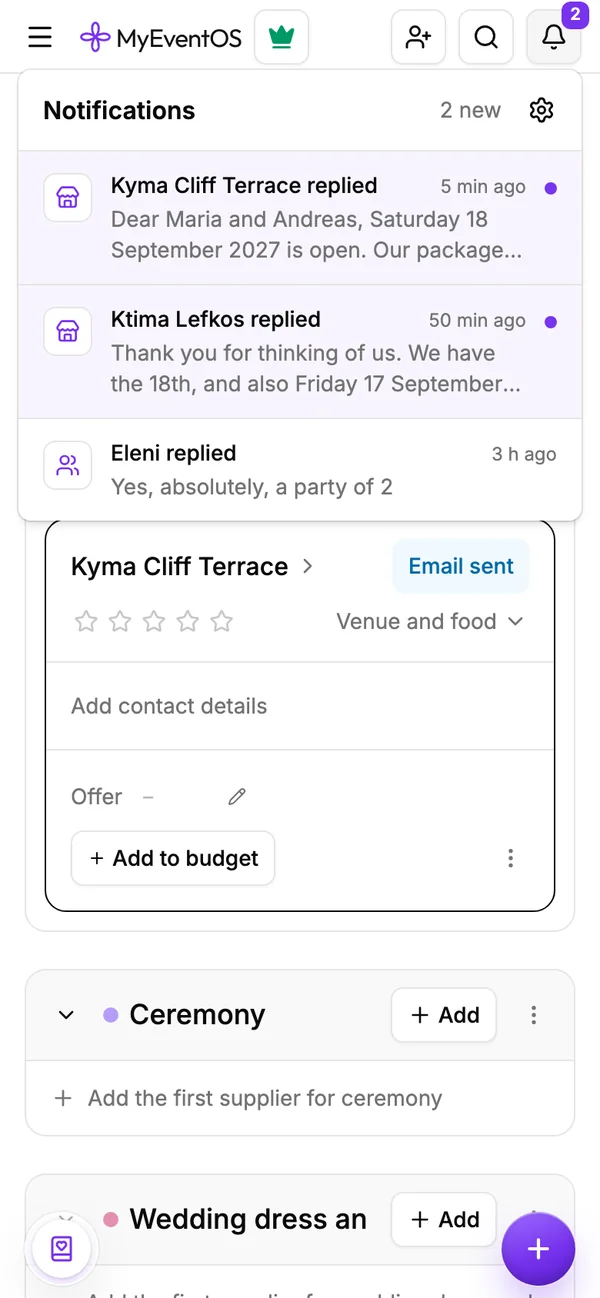
When the supplier answers, you have their reply by email, from them via MyEventOS, with any brochure or price list they attach. Reply to that email, and you are writing to them directly. Their answer also shows in your notifications, at the bell in the planner, and tapping it opens your suppliers.
Rather not have suppliers' answers by email? The bell's settings switch that off, and they stay in your notifications.
Compare like for like, then book
Write each offer on its supplier's card, so every quote sits side by side, beside your budget. Compare what each one includes, not only the total: one venue's package has the drinks and the DJ, another's price is the room alone.
Do
- Send each supplier the same date, guests and questions
- Ask what is included and what costs extra
- Check the deposit, when the rest is due and the cancellation terms
- Keep every offer in one place
Don't
- Compare a package with a price per guest without working it out
- Pay a deposit before you have read the terms
- Book the photographer before the venue and the date
- Ask twenty suppliers at once
When you decide, mark the supplier as booked and add it to your budget, with its deposit and when it is due. The planner keeps the payments in front of you until the day.
Missing a supplier?
If a supplier you know is not in the search, tap Suggest a supplier at its foot, with their name and where they work. Once we have checked them, they show for every couple planning there.
Find your suppliers in the planner
Search, ask for offers and keep every answer beside your budget. Part of the planner, free for the first 7 days.