
For venues and planners
The activity log: every email and every change
Every event has an Activity log, at the foot of the planner's menu, under Timeline. It has two tabs.
Emails
Every email you sent the couple from MyEventOS, and every reply, with their attachments, newest first. Press Write an email to send a new one, from one of your templates or from nothing.
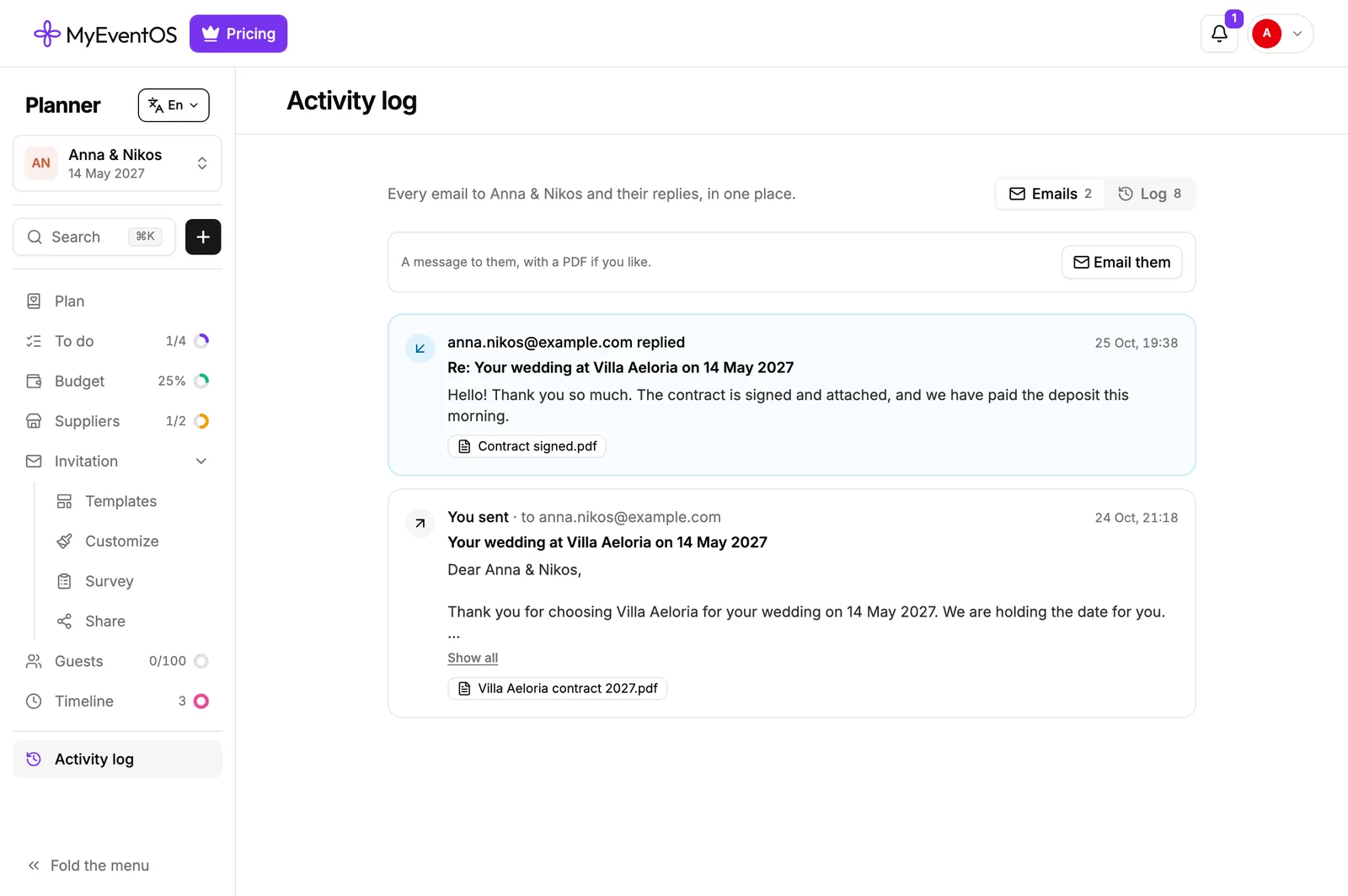
A couple's reply comes here on its own, and is forwarded to your reply address as well, so it reaches you wherever you read email. You can answer from your own inbox; your answer is kept here too.
Log
The things that change an event, grouped by day, each with who did it and when:
- The event made, and how: from the calendar, from a file, or in the planner.
- Its status, its date, time and place, the couple's names and contact details.
- The design chosen, the invitation shared, and anything bought for the event.
- People invited, joining, asking for more access, having their access changed or being removed.
- Tasks added, removed, done or not done.
- Budget lines added or removed, their amounts changed from one figure to another, and payments marked paid or not.
- Suppliers added, removed, booked or no longer booked, asked for an offer, and answering.
- Moments added to the timeline or taken off it.
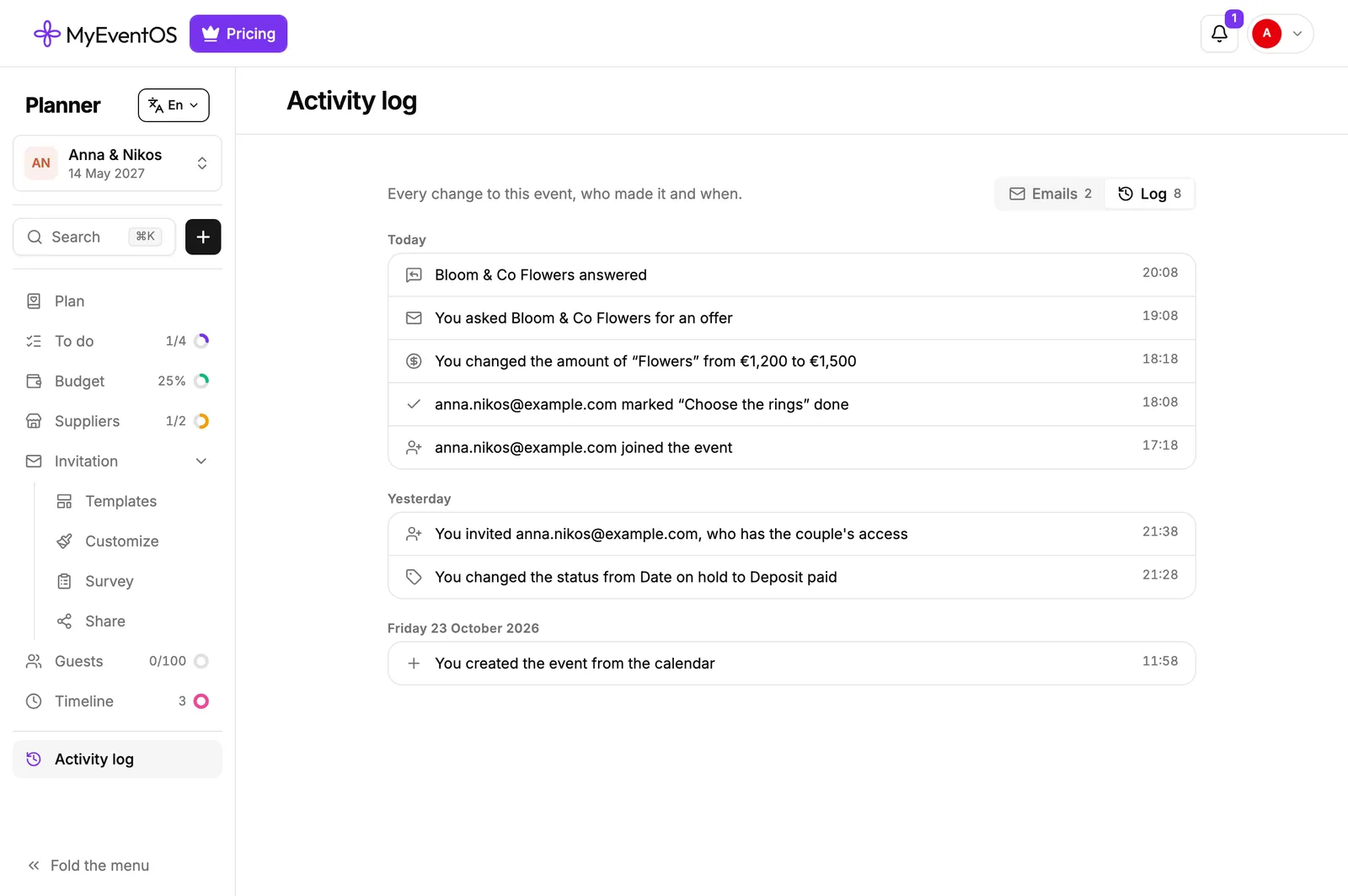
To keep it readable, small edits are not logged: the invitation's words and styling, survey questions, notes, renaming a task or a supplier, seating, and each guest's reply, which you find in Guests.
Who sees it
You always do. Someone you invite sees it only if their role shows the Activity log: Team member does, The couple and Viewer do not. Only you write to the couple from it.
Did this not answer it? Write to us
A person reads every message and answers by email. Say which event it is about and, if something went wrong, what you were doing at the time.