
For venues and planners
Admin: your business, your logo and your emails
Admin is your business's own place, apart from any one event. Open it from your avatar at the top right and choose Admin. On a phone, it is in the menu ☰, under your account.
- Your business: whether you are a venue or a planner, your name, the email couples reply to, your phone and website, and your logo.
- Email templates: the emails you send couples again and again, written once.
- Default suppliers: the suppliers you work with, added to every new event.
- Roles: what each person you invite to plan an event can see and change.
Everything is saved as you type. There is no Save button to forget.
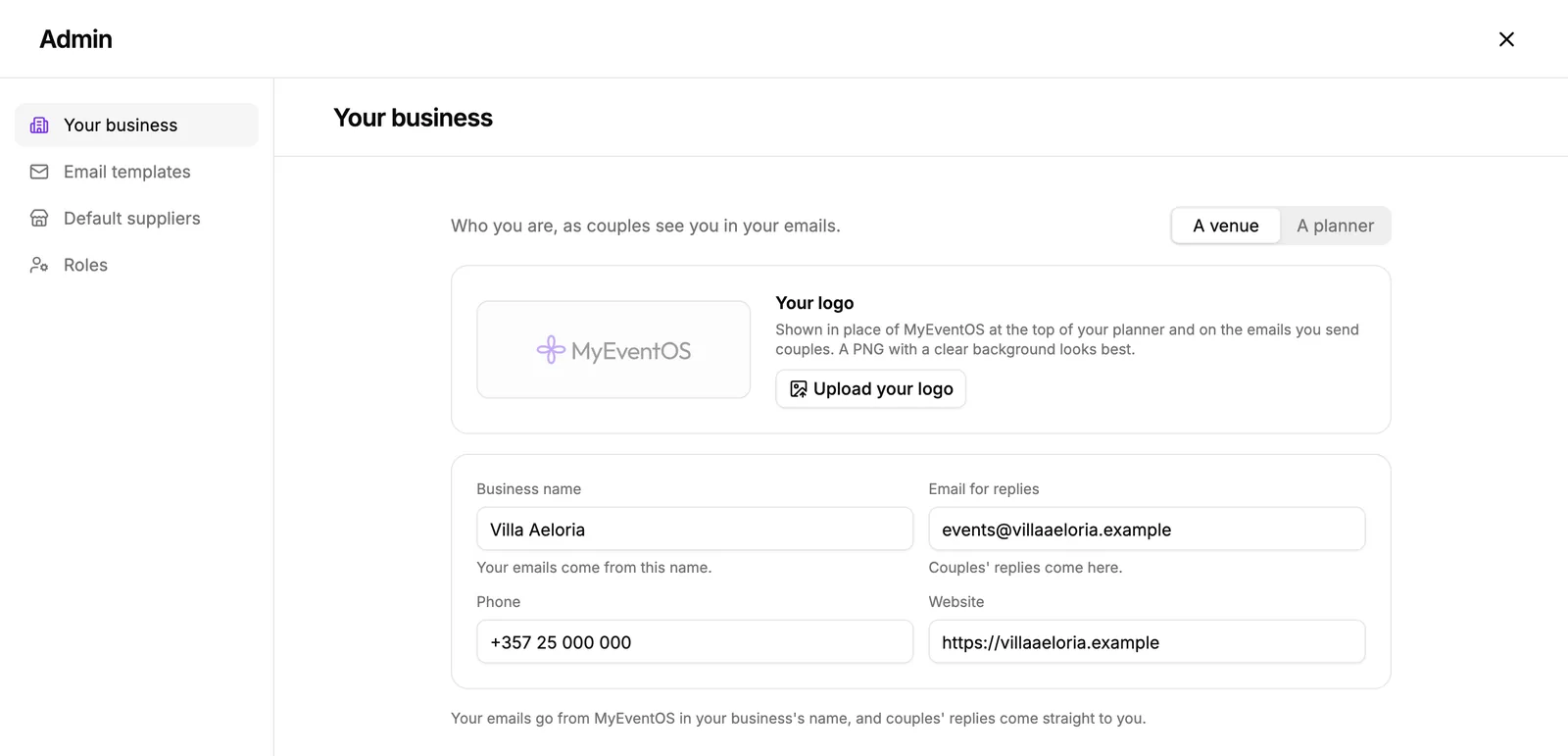
Your name and your replies
Business name is the name your emails come from. Email for replies is where couples' answers land: they reply to your email as they would to any other, and the answer reaches you and the event's Activity log.
Your logo
- In Your business, press Upload your logo.
- Choose a PNG, JPG or SVG, up to 10 MB. A PNG with a clear background looks best.
- Your logo takes the place of MyEventOS at the top of your planner and at the head of every email you send couples.
Change the logo or Remove it at any time. Emails already sent keep the logo they went with.
Did this not answer it? Write to us
A person reads every message and answers by email. Say which event it is about and, if something went wrong, what you were doing at the time.
Email support@myeventos.comHave an account? Log in to write from here.