How wedding guests find their seat: escort cards, charts and the phone
7 min read
The seating plan took you weeks. Your guests will spend about thirty seconds with it, standing in a doorway with a glass in one hand, looking for one name. Those thirty seconds are worth planning too: how they find their table decides whether the room fills in five minutes or in twenty.
Three ways guests have always found their seat
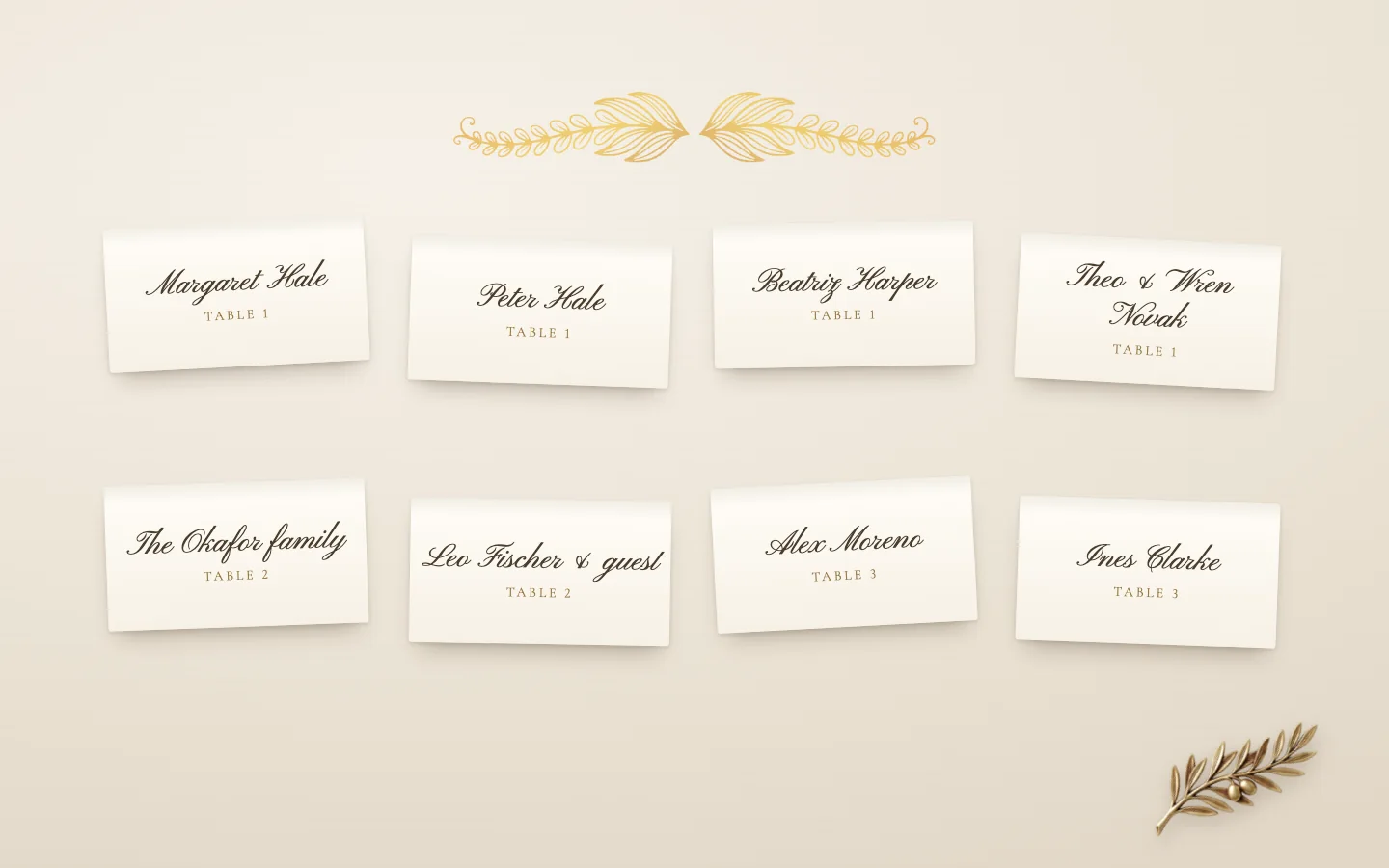
Escort cards are small folded cards, one for each guest or each couple, set out in rows on a table near the door with the table number on each. A guest picks up their card and carries it in. Place cards are the same idea at the table itself: a name at each setting, so the guest knows the chair as well as the table. Many weddings use both, the escort card to find the table and the place card to find the chair.
A seating chart does the escort cards' job on one board: every table and every name, on an easel or a framed mirror by the entrance. It is cheaper than a hundred cards, it photographs well, and it can be read by several people at once, as long as it is large enough.
What goes wrong at the board
Most of the trouble is small and predictable, which means it can be planned away.
- The queue. A hundred guests leave the ceremony together and arrive at one board together. Ten can read it at a time; the rest wait in the doorway, which is usually also the way into the room.
- Surnames. A couple who do not share a surname are listed in two places on an alphabetical chart. Alex Moreno looks under M, Ines Clarke under C, and each wonders why the other is not at their table.
- The unnamed plus one. "Leo Fischer and guest" tells Leo where to sit. It tells his guest nothing, and they are the one who knows nobody in the room.
- Children. A child cannot find themselves on a chart, and a children's table needs a grown up who knows which children are on it. Seat young children with their parents, or send a parent to the children's table with them.
- The change after printing. Someone cancels the night before, two cousins swap, a table is split. A printed chart cannot change, so the corrections arrive in pen, or not at all.
By table or by name
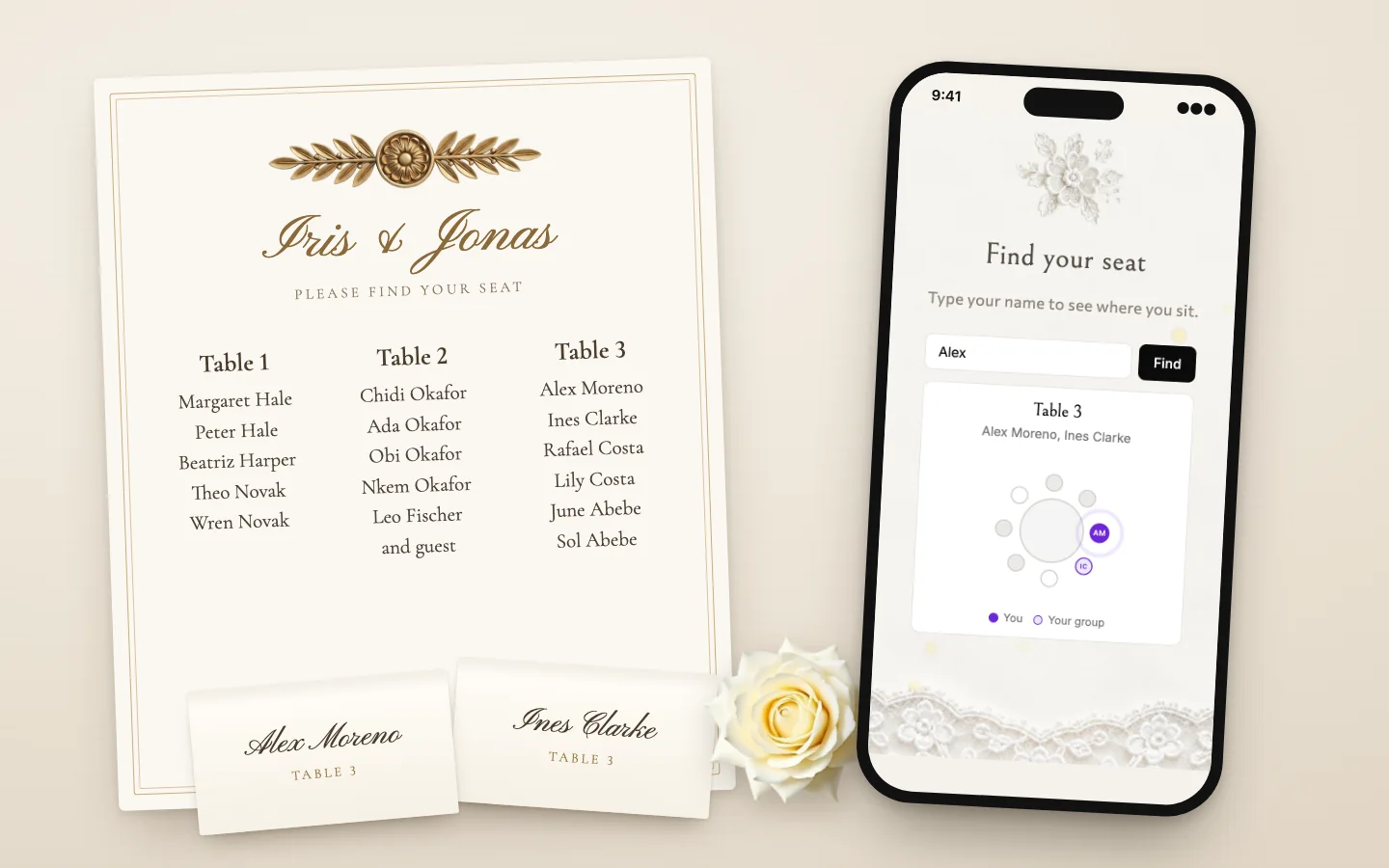
A chart can be ordered two ways. By table, each table is a heading with its guests under it. It reads beautifully and suits a smaller wedding, where a guest can scan five or six tables in a moment. By name, the whole guest list runs alphabetically with a table number beside each name. It is plainer, and it is far faster for a large wedding, because a guest goes straight to their letter.
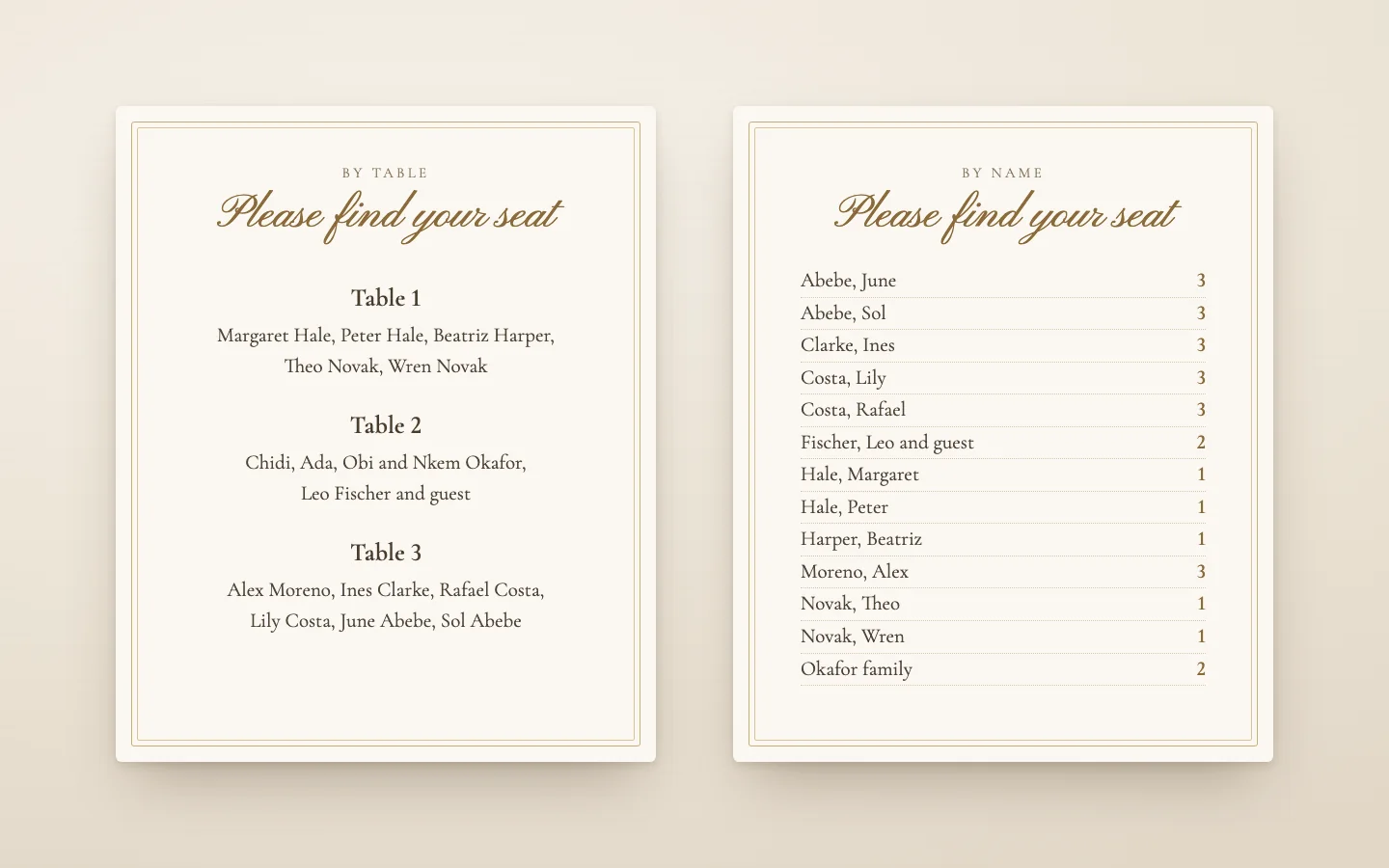
Over about eighty guests, choose by name. Order it by surname, list everyone under their own surname, couples included, and write first names in full. Write a plus one's name if you have it: "Leo Fischer and Mara" is kinder than "and guest". A family can share one line, "the Okafor family", as long as everyone in it sits at the same table.
Wording the chart
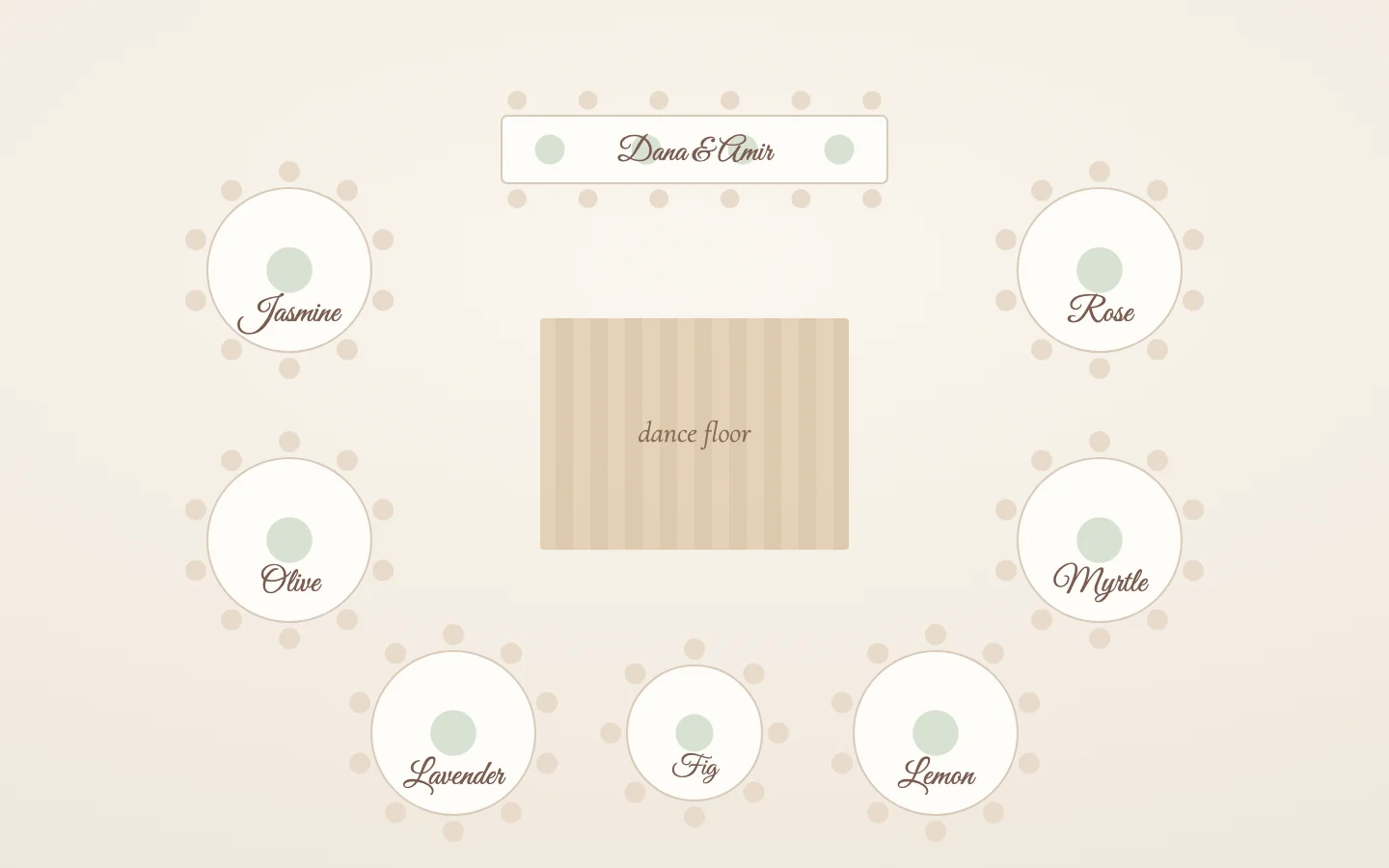
The heading needs only a few words: "Please find your seat", "Find your table" or simply your names and the date. If your tables are named after places or flowers, write the number beside the name on the chart and on the table, so guests can find it from across the room. Whatever you call a table on the chart is what its sign must say.
Keep the type large. A chart is read from a step away, often by older guests, often in candlelight. Names at the size of a book's text are too small; aim for names a guest can read with their glass in their hand.
When to put it out
Put the chart or the escort cards out as drinks begin, after the ceremony, not before it. Guests who find their table early wander in to look at it, and a chart by the ceremony door holds up the walk to the seats. For a large wedding, set out two copies of the chart, on either side of the doorway, so the queue splits in two.
Ask the venue or a friend to stand near it for the first fifteen minutes. Someone will always need help: a guest whose name was misspelt, a plus one who was never named, a grandparent who left their glasses in the car.
The chart in their pocket
Your guests already carry your invitation. Increasingly, that link is where they find their seat too. With MyEventOS you add a Find your seat page to the invitation and choose the day and time it opens, usually the morning of the wedding or the moment drinks begin. Until then guests either see nothing of it or a line saying when it opens, as you choose. From that time, the invitation opens on it.
You choose how guests use it. With "Type their name", a guest types their name and sees their table, who sits there with them, and the table drawn with its chairs: their own chair marked with rings going out from it, and their party's chairs beside it. With "See every table", guests swipe from table to table; searching a name turns to the table it is at and marks the chair. Each party at a table has its own colour and initials, the same colours as your seating plan.
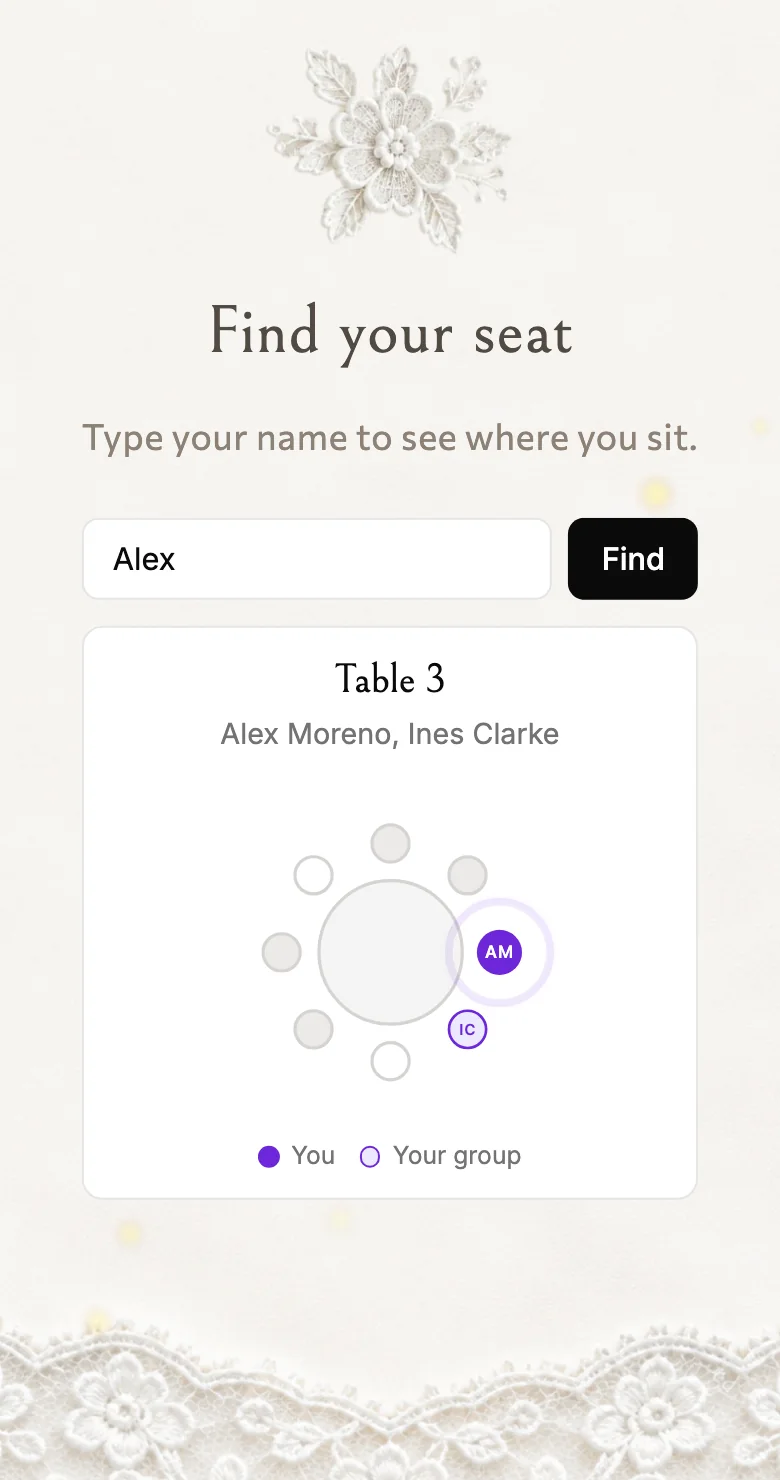
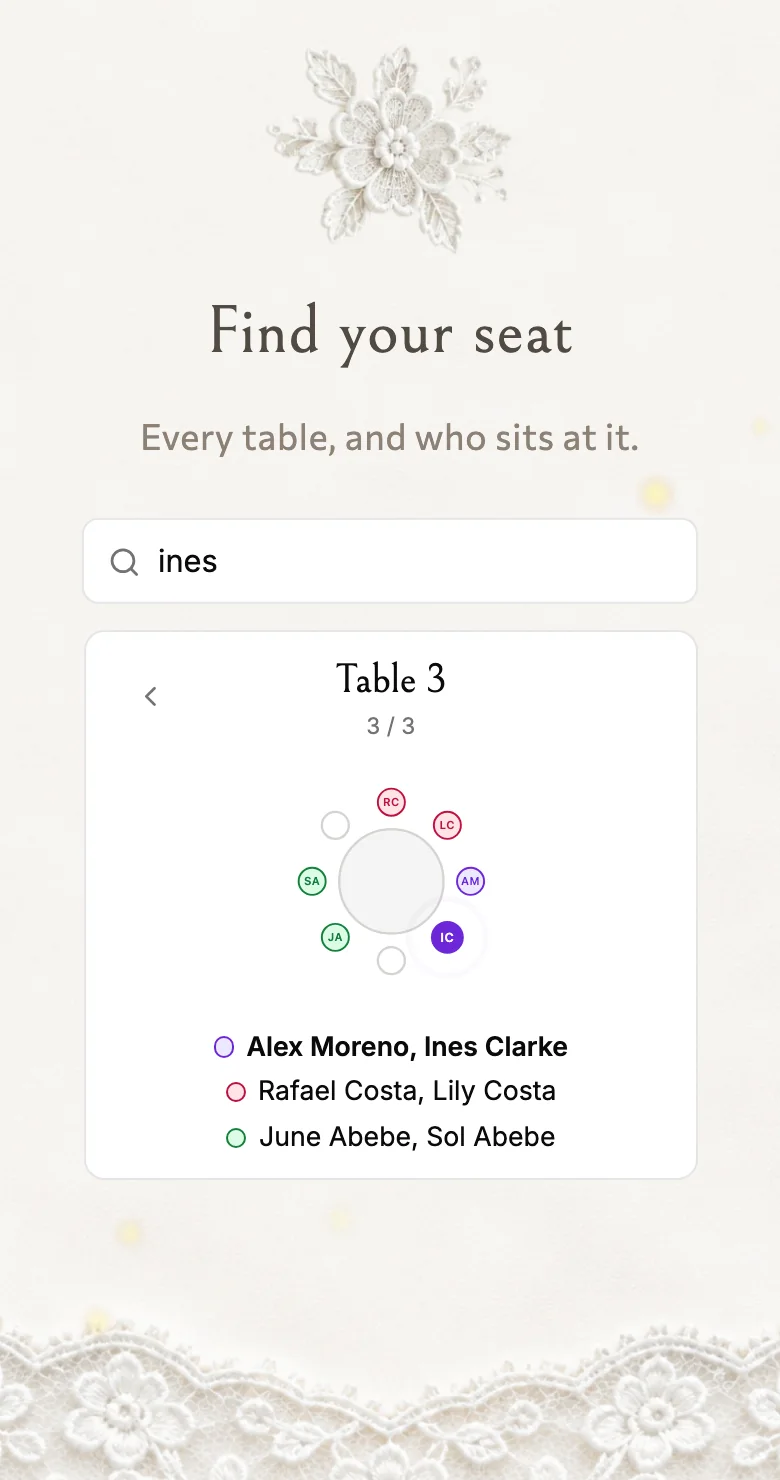
It reads the seating plan you build in Manage guests as it stands when a guest looks, so the cancellation the night before and the cousins who swapped are right on the phone without anything being reprinted. A plus one whose name you never had can type the name of the guest who brought them. It speaks the guest's language too, in English, Greek, Hebrew, German or Russian. For guests who do not have the invitation to hand, the seating plan also makes a QR code to print and stand at the entrance.
Keep the paper, or not
A phone does not have to replace the board. A beautiful chart at the door is part of the day and part of the photographs, and some guests will always prefer it. Many couples keep both: a simple board or a sign with the tables, and the phone for the guest who wants to know exactly where they sit, or who arrives late to an empty doorway. Whichever you choose, the kindness is the same: every guest finds their chair in a moment, and the room fills while the drinks are still cold.
Collect the answers while you are at it
MyEventOS turns the invitation, the RSVP and the guest list into one link, and counts the replies as they land. Free to design, free to send, and the first ten replies are included.
Start creating free