
Planning
Adding a supplier who is not in the search
Find suppliers searches the map and the suppliers we list. When the band, the florist or the photographer you have in mind is not there, add them yourself in a moment. They work like any other supplier: ask them for an offer, put them in the budget and book them.
Add them to the event
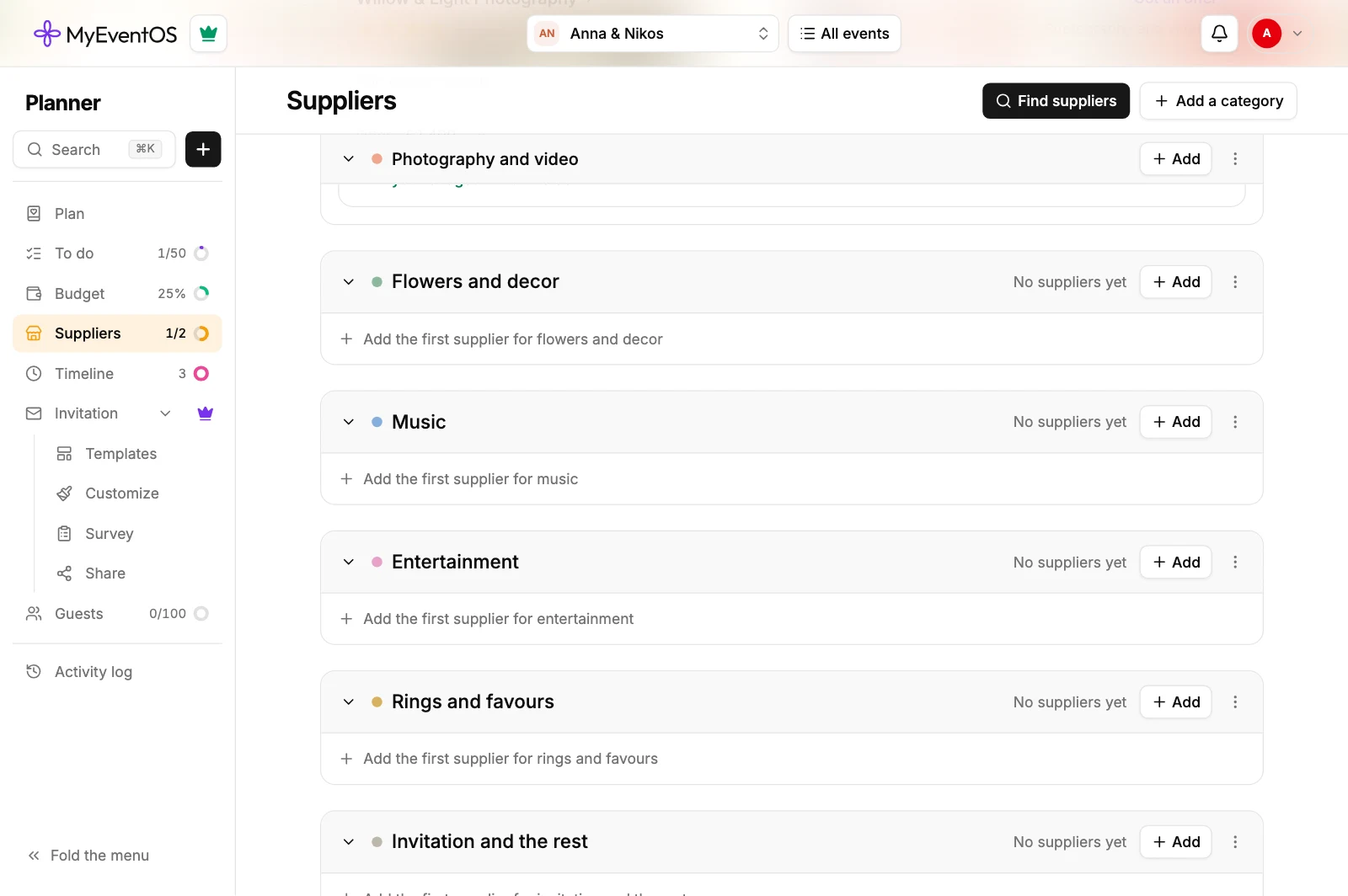
- Open the event and choose Suppliers in the menu.
- Press Add beside the category they belong to, such as Music. Add a category at the top makes a new one.
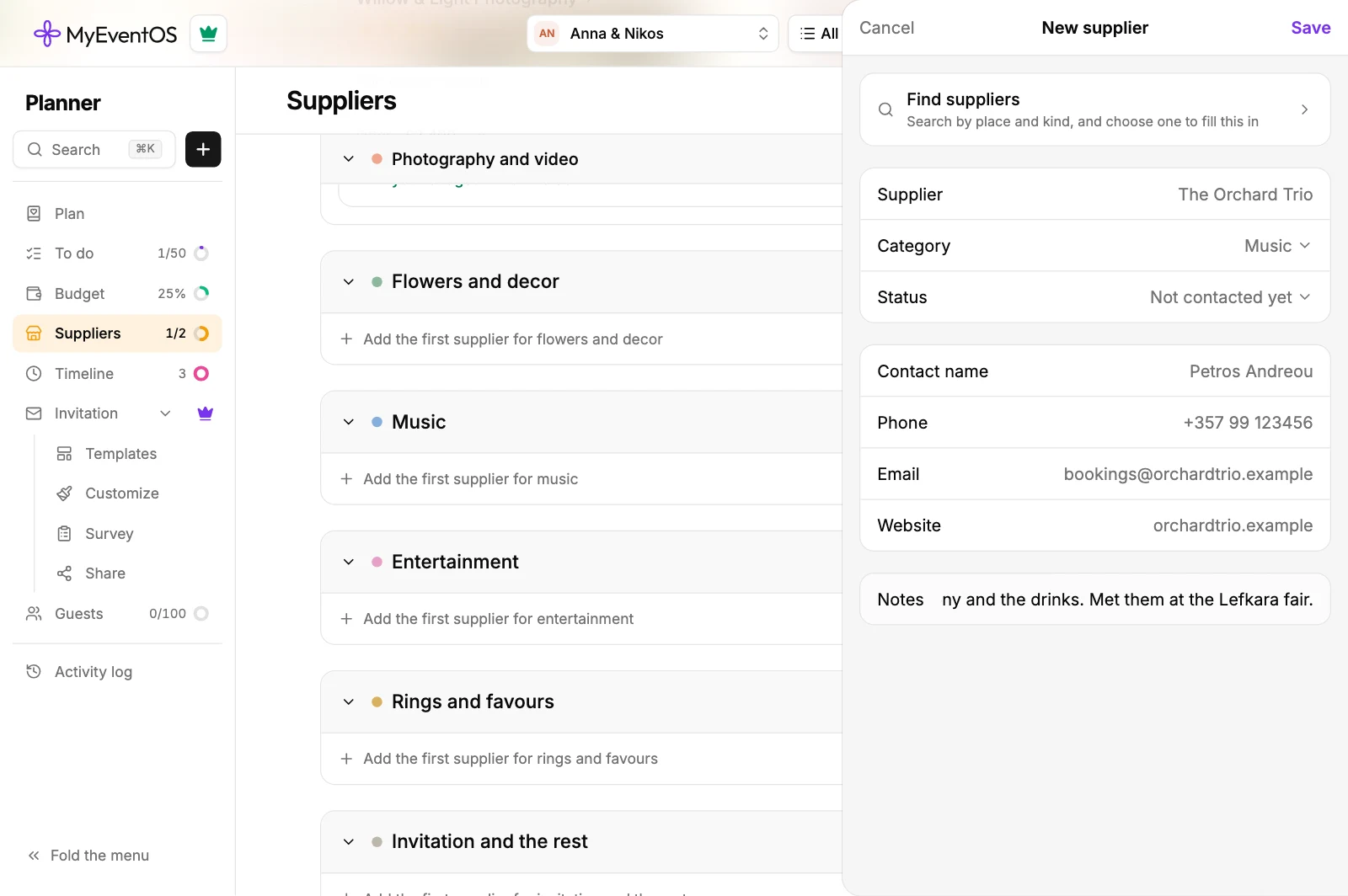
- Type the supplier's name. Their category is already chosen; change it if you like.
- Add what you know: the contact's name, phone, email, website and notes. Leave out anything you do not have.
- Press Save.
The supplier is in their category at once, as Not contacted yet, with their contact and buttons to call, message on WhatsApp, email them or open their website.
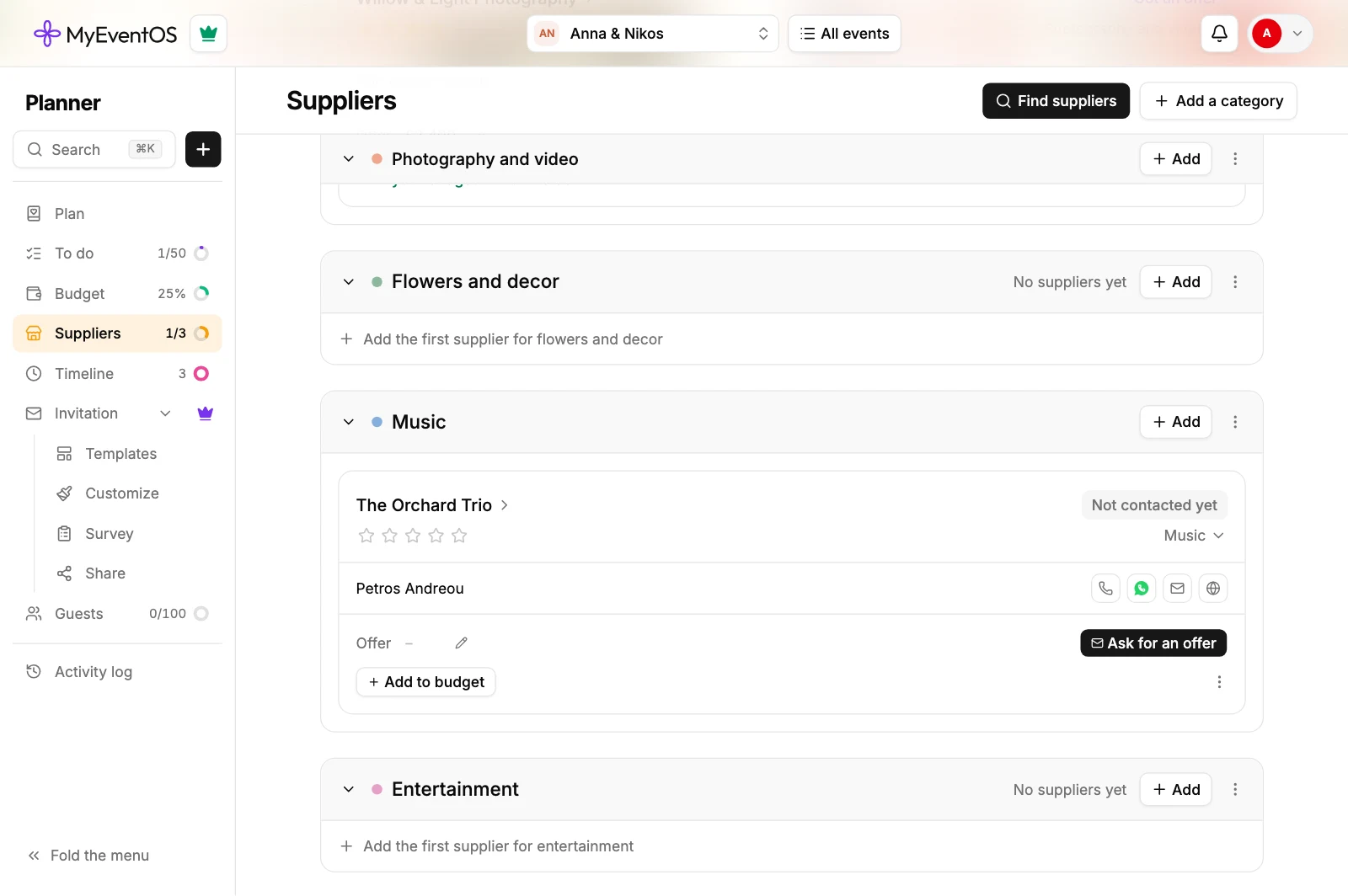
- Ask for an offer sends them your request by email, so add their email to use it.
- Change where things stand from Not contacted yet as you go. Booked puts them in the budget and on To do.
- Open the supplier by their name at any time to change their details.
- A name you type stays as you typed it, and you can rename it later. A supplier chosen from the search keeps the name it was found with.
On every new event
If you work with them often, add them once to Admin, Default suppliers instead. Every new event then starts with them, ready to ask for an offer.
Tell us about them
At the end of the results in Find suppliers, under Know a supplier who is not here?, press Suggest a supplier. Give their name, their category, where they work, and a website, Instagram, email or phone, and press Send. Once we have checked them, everyone can find them in the search.
Did this not answer it? Write to us
A person reads every message and answers by email. Say which event it is about and, if something went wrong, what you were doing at the time.