
For venues and planners
Email templates: the deposit and contract email in one tap
Most venues send every couple the same few emails: the date is held, here is the deposit, here is the contract. Write each one once in Admin, and from then on a couple's email is ready in a tap.
Write a template
- Open Admin, then Email templates.
- Press Add Deposit and contract to start from a ready one. Once you have one, Add a template starts the next from blank.
- Give it a name you will recognise, a subject and a message.
- Put the couple's own details in with the buttons under the message: Couple's names, Wedding date, Deposit and Your business. Each one goes where your cursor is.
- Set the deposit and its currency, if the email asks for one.
- Attach a PDF, such as your contract or a price list, up to 10 MB. It goes with every email sent from this template.
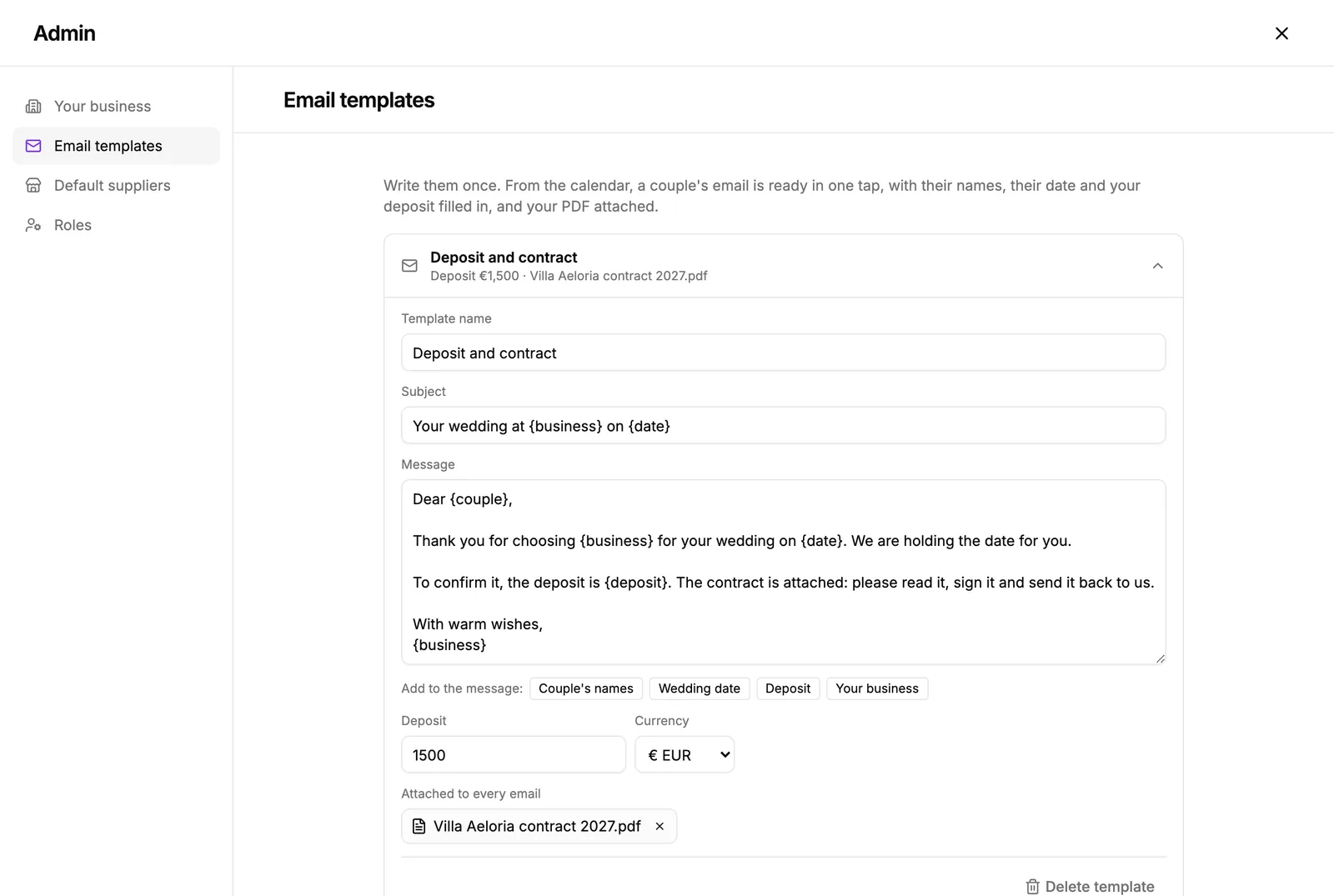
The placeholders show in braces, like {couple} and {date}. As each email goes, they become that couple's names, their date in full, your deposit as an amount, and your business's name.
Send it to a couple
- From the calendar: open the couple's day, press Email them, choose the template, check the words and press Send.
- From the event: open Activity log, stay on Emails, press Write an email and choose the template.
Before it goes you can change anything in it for this couple alone. The template itself stays as it is.
The email comes from your business's name, with your logo, and the couple's reply comes back to your reply address and to the event's Activity log. You also see it in your notifications.
Did this not answer it? Write to us
A person reads every message and answers by email. Say which event it is about and, if something went wrong, what you were doing at the time.