
For venues and planners
Roles: what the couple and your team can see and change
When you invite someone to plan an event with you, their role decides what they can see and what they can change. You choose it as you invite them, and you can change it at any time.
Sections and levels
A role sets each part of the event to one of three levels:
- Hidden: they do not see it at all. It is not in their menu, and what a role hides of the plan, the guests and the log never even reaches their phone or computer.
- View: they see it and cannot change it. The page says so, with a way to ask you to edit it.
- Edit: they change it as you do.
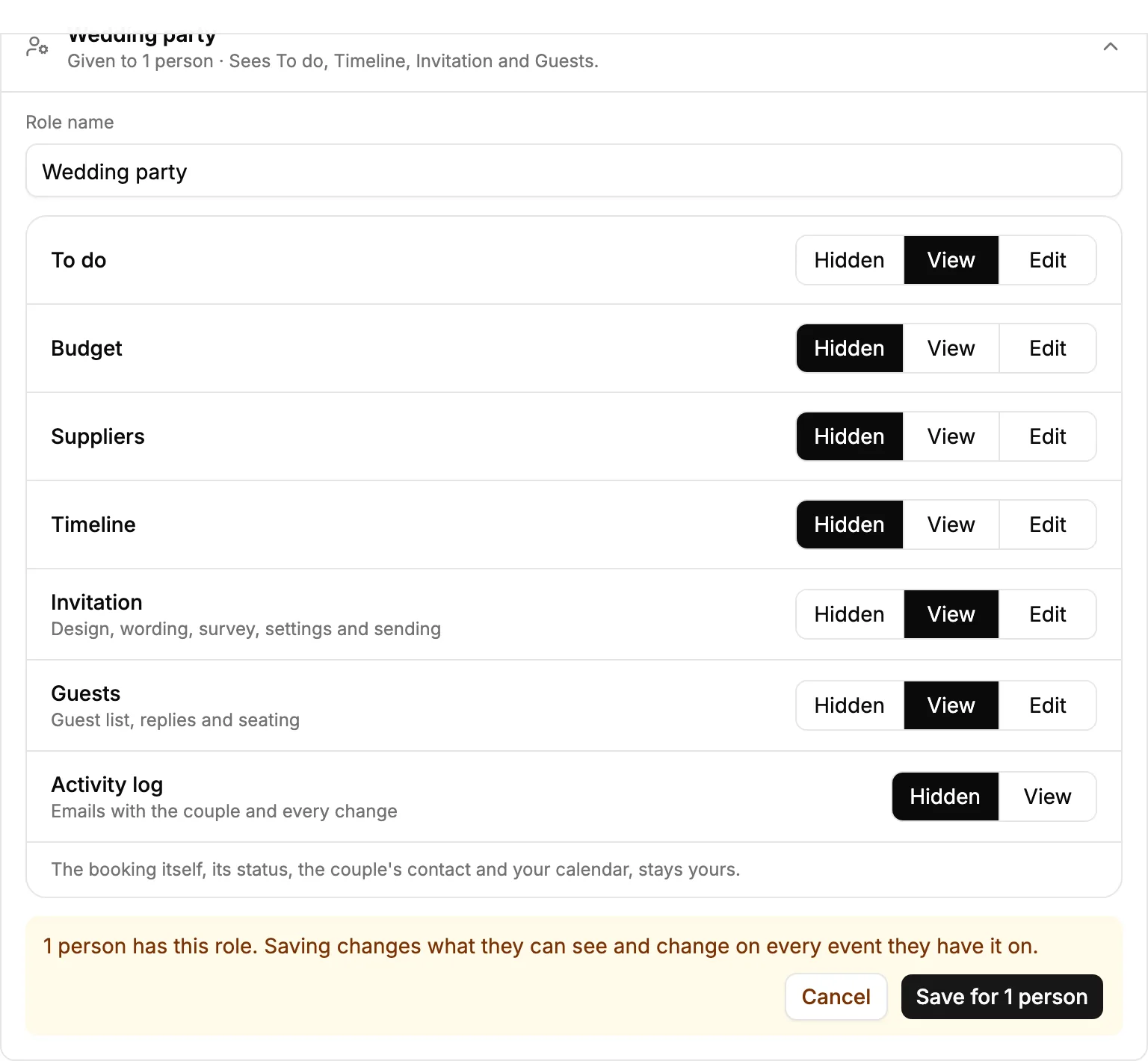
The parts are To do, Budget, Suppliers, Timeline, Invitation (the design, its words, the survey, the settings and sending it), Guests (the guest list, replies and seating) and the Activity log, which is Hidden or View only.
The booking itself always stays yours: its status, the couple's contact details, the emails with them and your calendar of events. Someone you invite has that one event, never your other events.
The three built-in roles
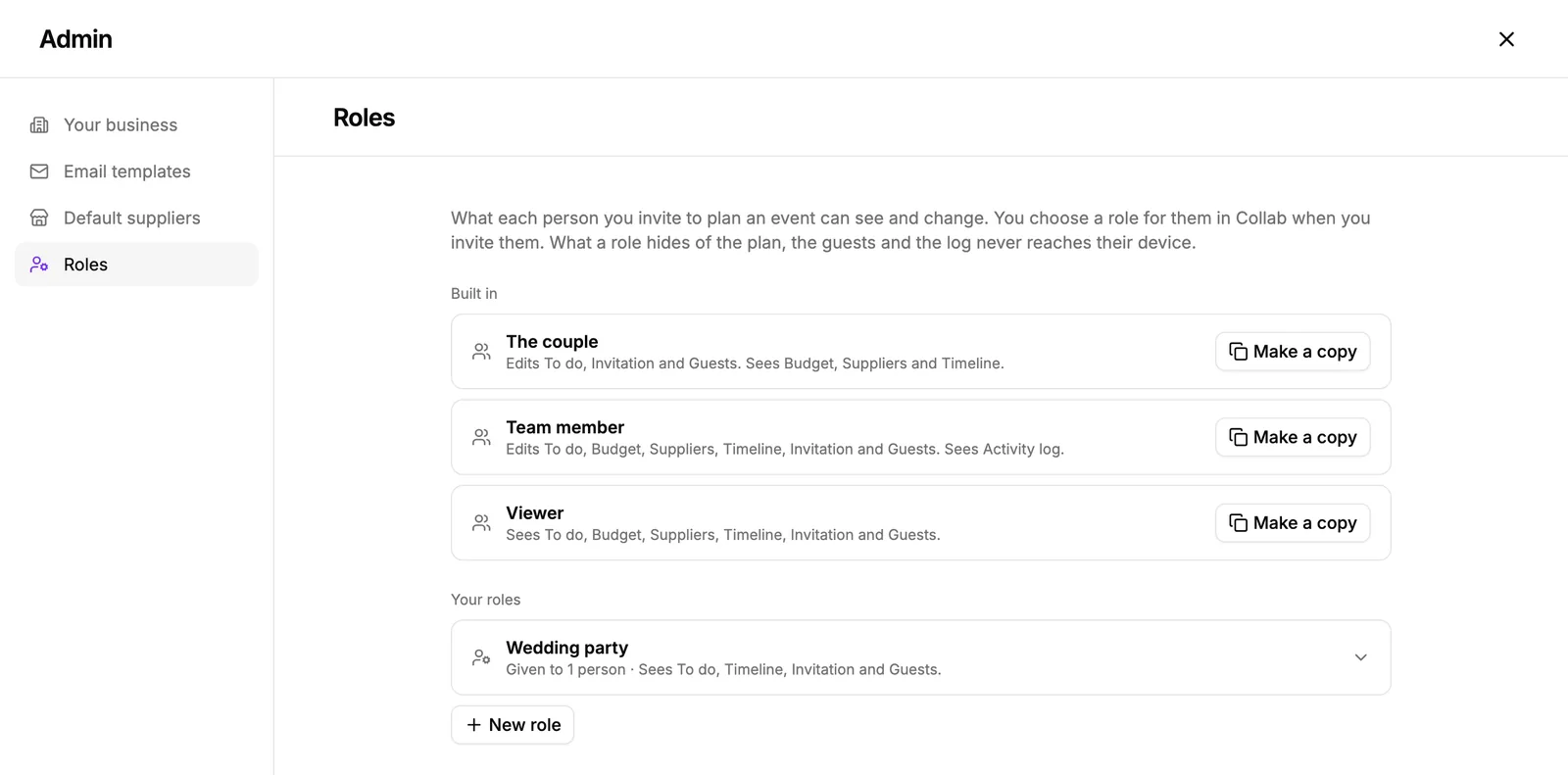
- The couple: edits To do, the invitation and the guests; sees the budget, the suppliers and the timeline; does not see the Activity log. Right for most couples: they design and send their invitation and manage their guests, and see your plan without changing it.
- Team member: edits everything and sees the Activity log. For your colleagues at the venue or in your planning team.
- Viewer: sees everything except the Activity log and changes nothing. For someone who only needs to follow along.
Your own roles
When the built-in roles do not fit, make your own: a role for the wedding party that sees the timeline and nothing about money, or one for a florist that edits suppliers.
- Open Admin, then Roles.
- Press New role, or Make a copy beside a role that is close to what you want.
- Name it, and set each section to Hidden, View or Edit.
- Press Create role. It is offered in Collab from now on, beside the built-in ones.
You can also save a role while you invite someone: choose Custom, set the sections, and give it a name.
Changing a role
A change to one of your roles reaches everyone who has it, on every event. Before it is saved, Admin tells you how many people that is, and you save for all of them or cancel.
Deleting a role does not take anything away from the people who have it. They keep what it let them do, as their own custom access, until you change it.
Did this not answer it? Write to us
A person reads every message and answers by email. Say which event it is about and, if something went wrong, what you were doing at the time.